Managing Servers
Servers are the foundational machines where your Odoo projects and their isolated environments will be deployed. Without a server, your code has nowhere to live.
In PaaS.sh, you have the flexibility to work with two types of servers:
- Managed Cloud Servers: Provision and manage servers directly through the PaaS.sh dashboard.
- Bring Your Own Server (BYOS): Connect an existing server you already manage.
Supported Cloud Providers
If you choose to provision a managed server through us, we have partnered with top-tier cloud infrastructure providers to give you the best performance and reliability. We currently support:
- GCP (Google Cloud Platform)
- OVHcloud
- Hetzner
Provisioning a Server in PaaS.sh
Creating a managed cloud server directly from your dashboard is a streamlined process. Follow these steps to get your infrastructure up and running:
-
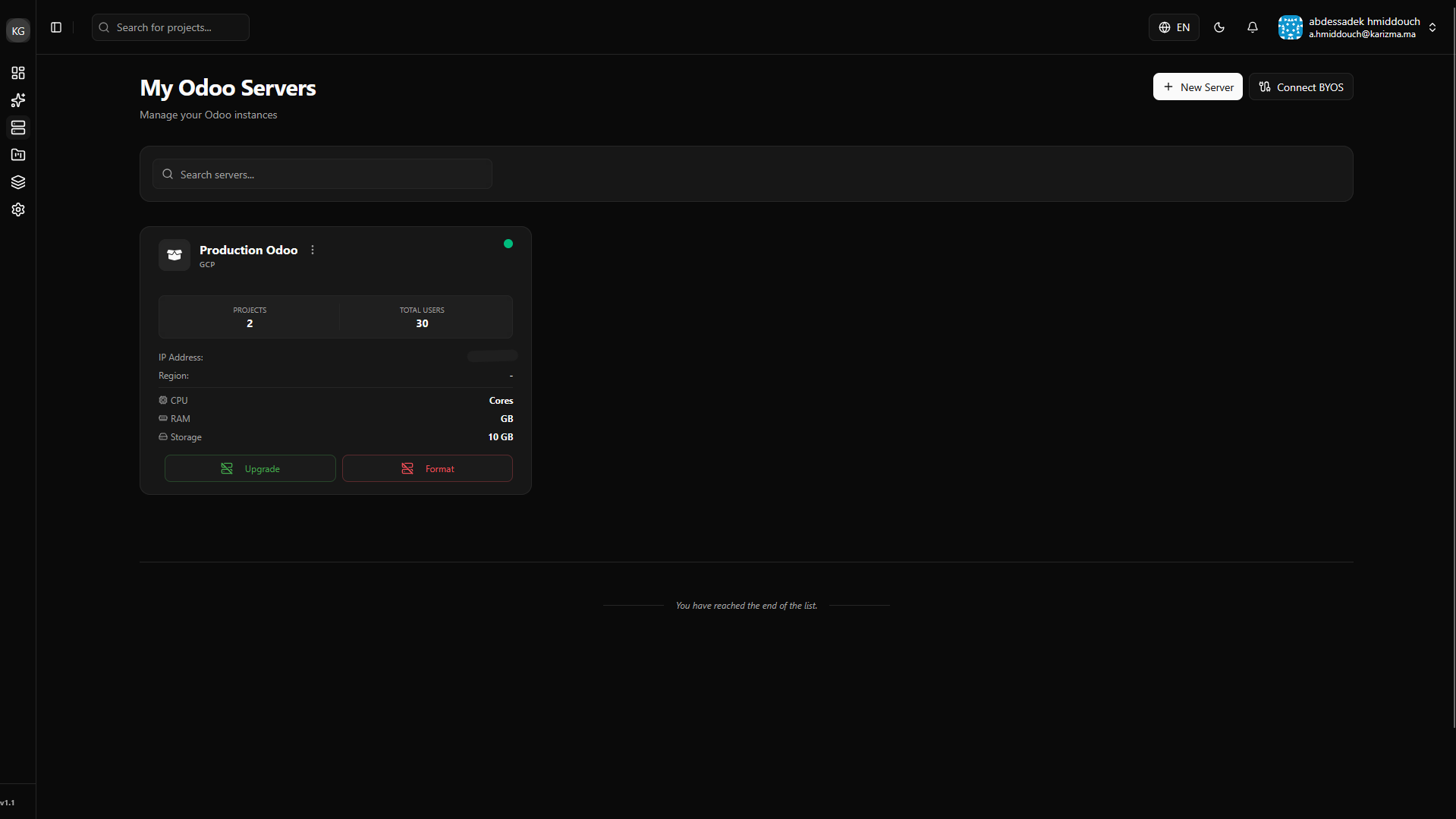
Navigate to the Servers Page: Open your main sidebar and click on the Servers tab to view your current infrastructure.
-
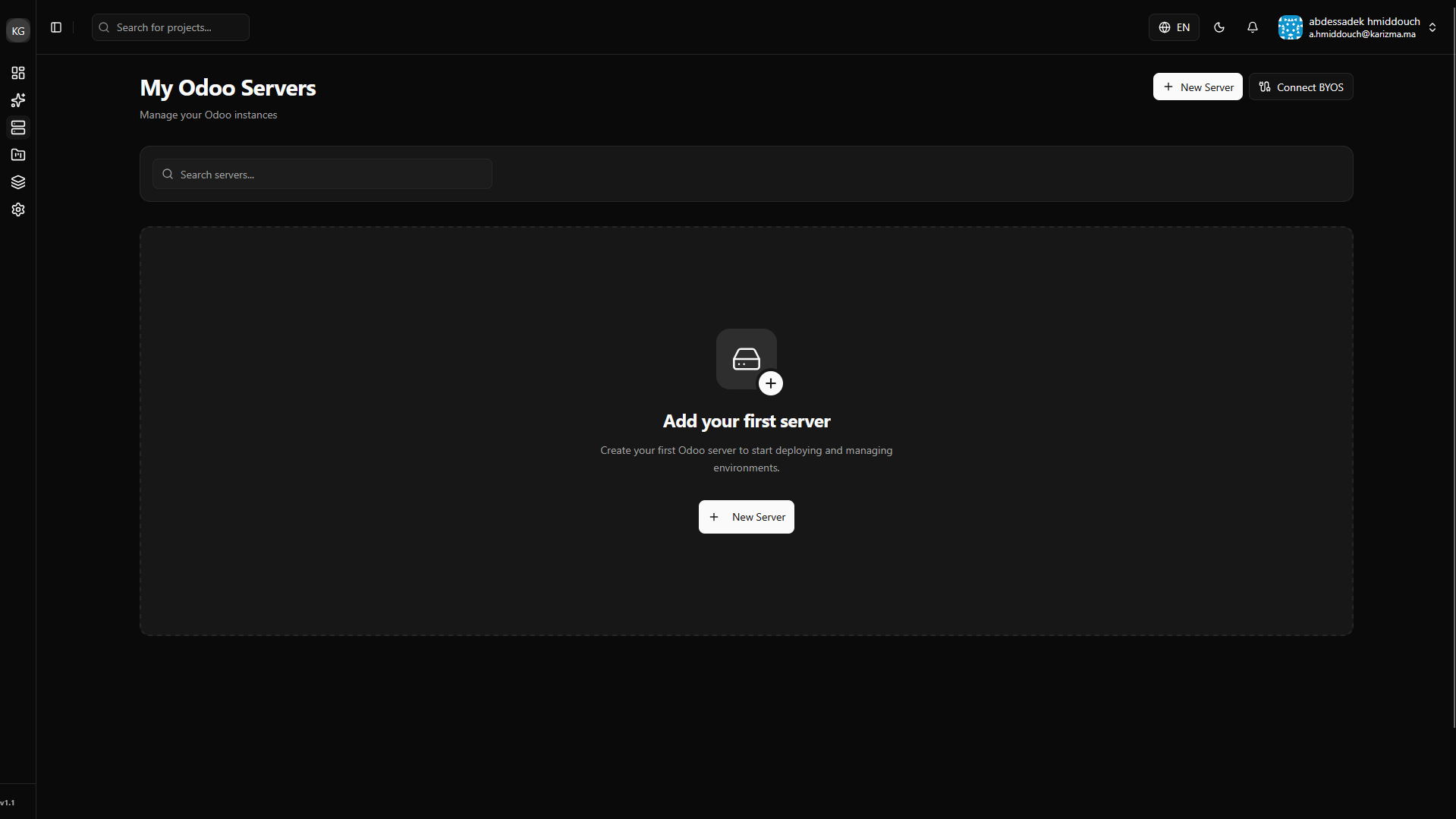
Initiate Creation: Click on the Create Server button to start the provisioning wizard.
-
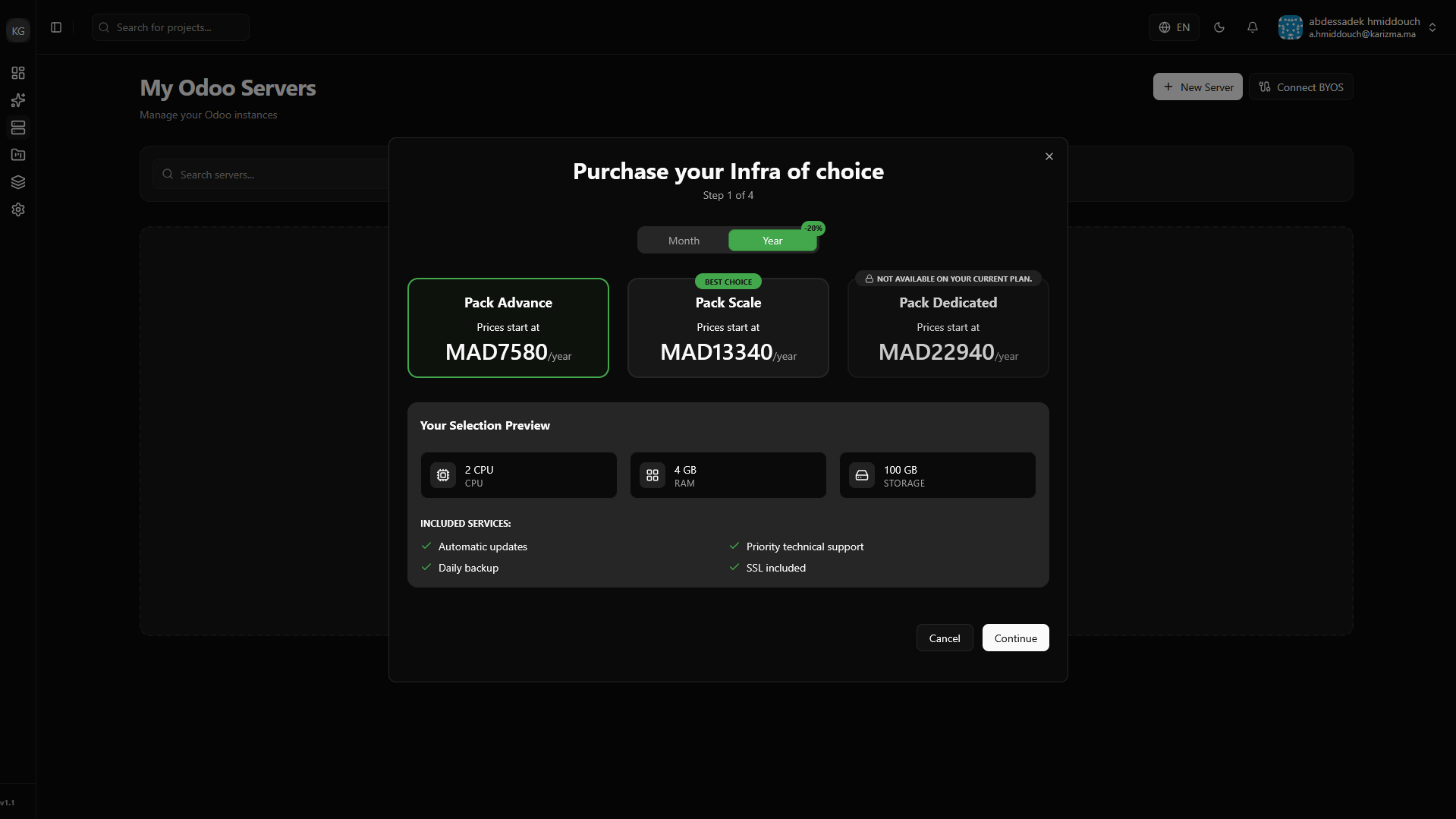
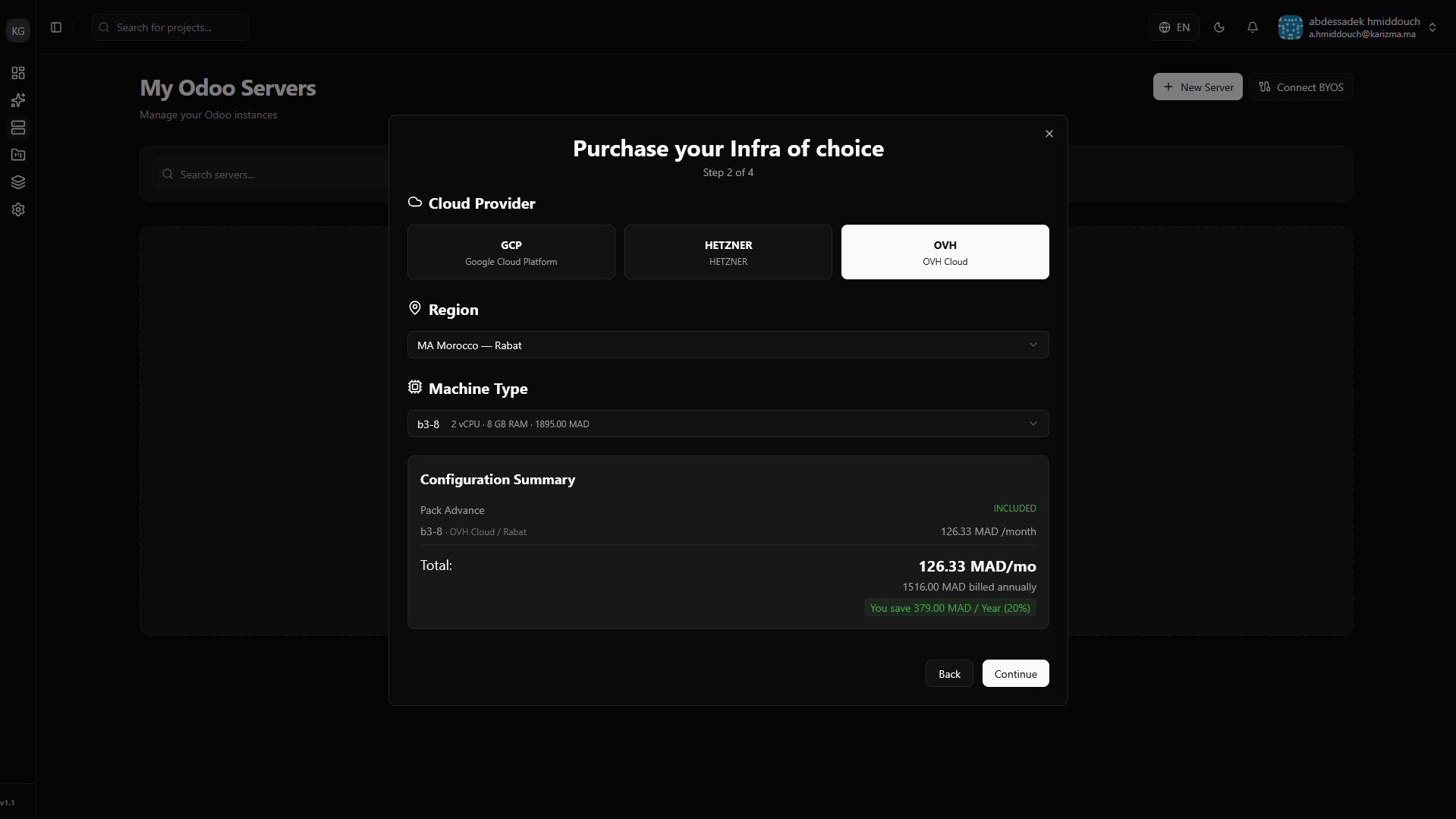
Configure Infrastructure: Choose your preferred plan, then select the Cloud Provider (e.g., Hetzner, GCP), the geographical Region closest to your users, and the specific Machine Type (CPU and RAM allocation) you need.
-
Select a Billing Address: Choose the billing address associated with this server.
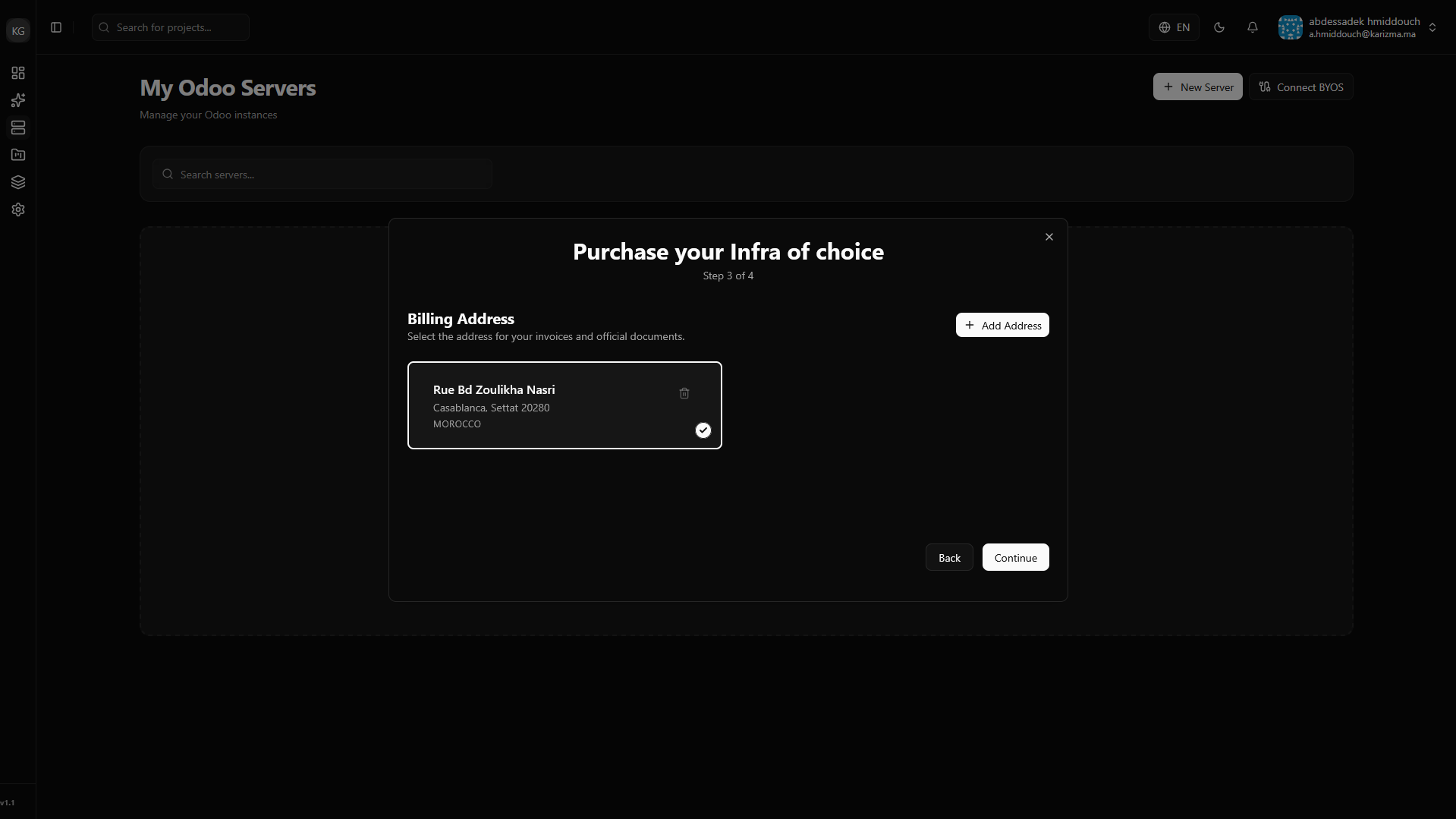 Create an Address
If you do not have an address saved yet, you can easily add one right from this screen by clicking the Create Address button before proceeding.
-
Choose Payment Plan: Finally, review your configuration and select your preferred payment plan to finalize the server creation.
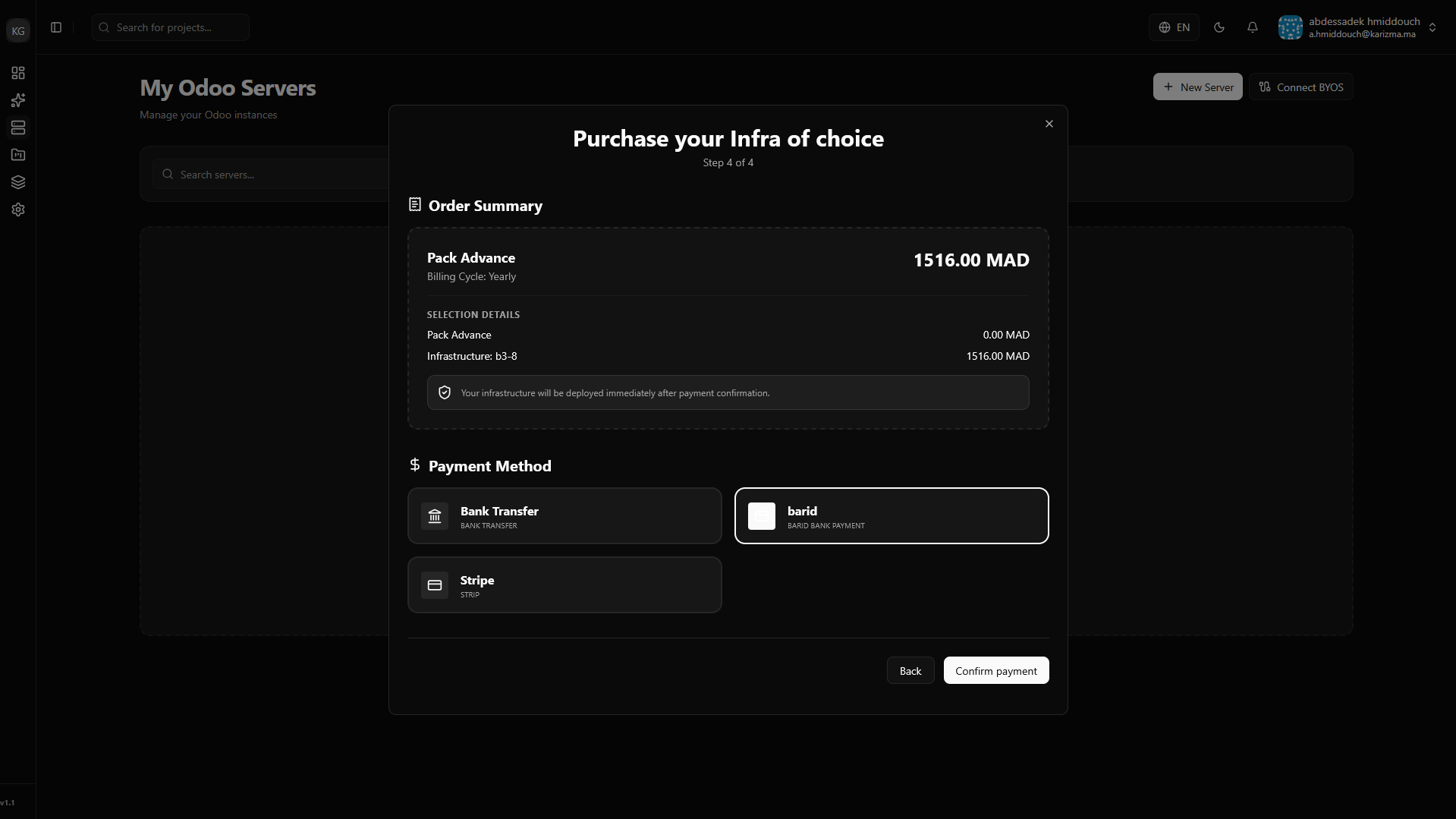
Once submitted, PaaS.sh will automatically reach out to the selected provider, provision the machine, and prepare the required Odoo infrastructure for you. Within a few minutes, your new server will be ready to host projects!
Connecting Your Own Server (BYOS)
If you already have existing infrastructure, you can easily connect it to PaaS.sh using the Bring Your Own Server (BYOS) method.
-
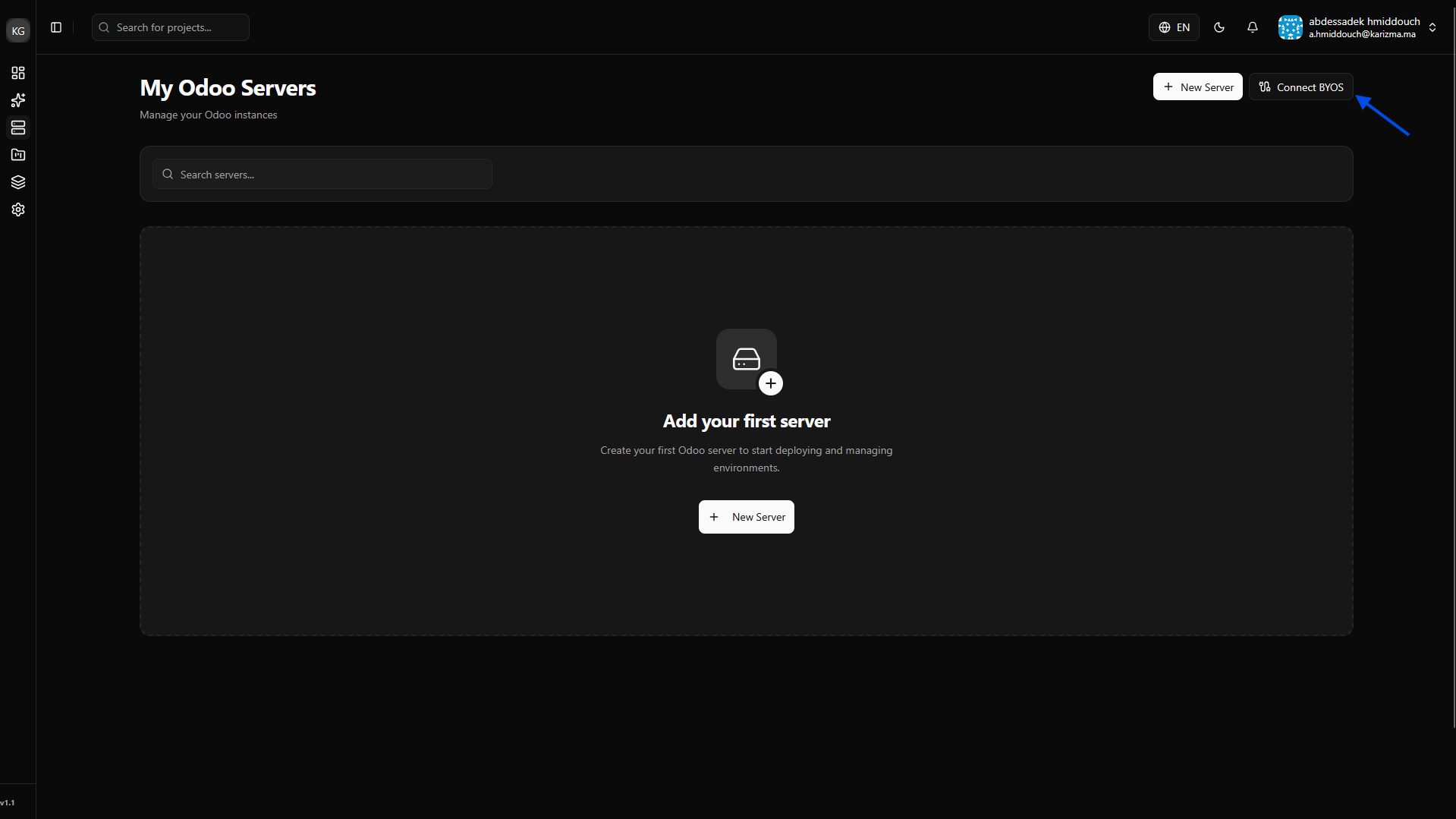
Initiate BYOS Connection: On the Servers page, click on the Connect Server (BYOS) button.
-
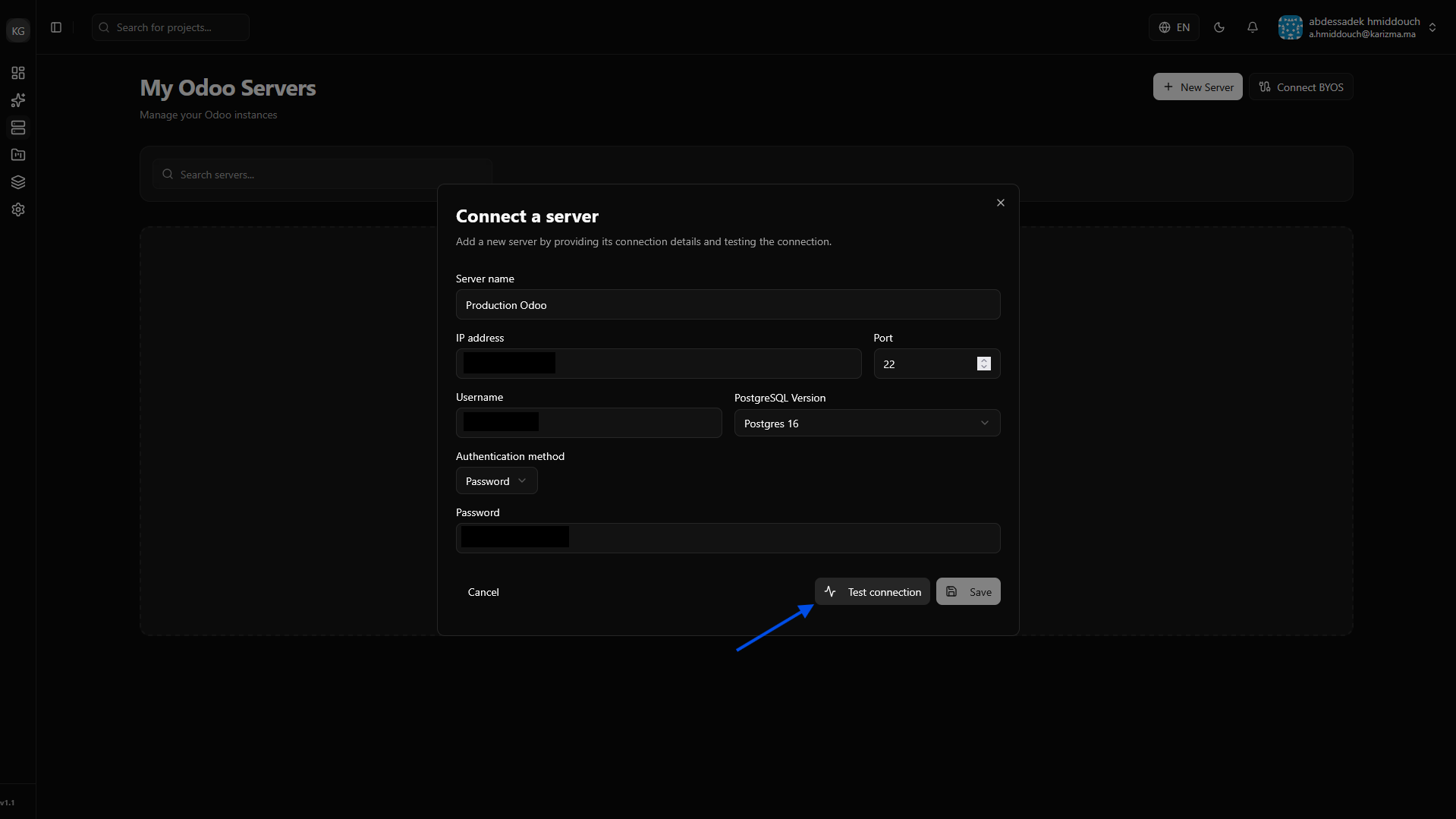
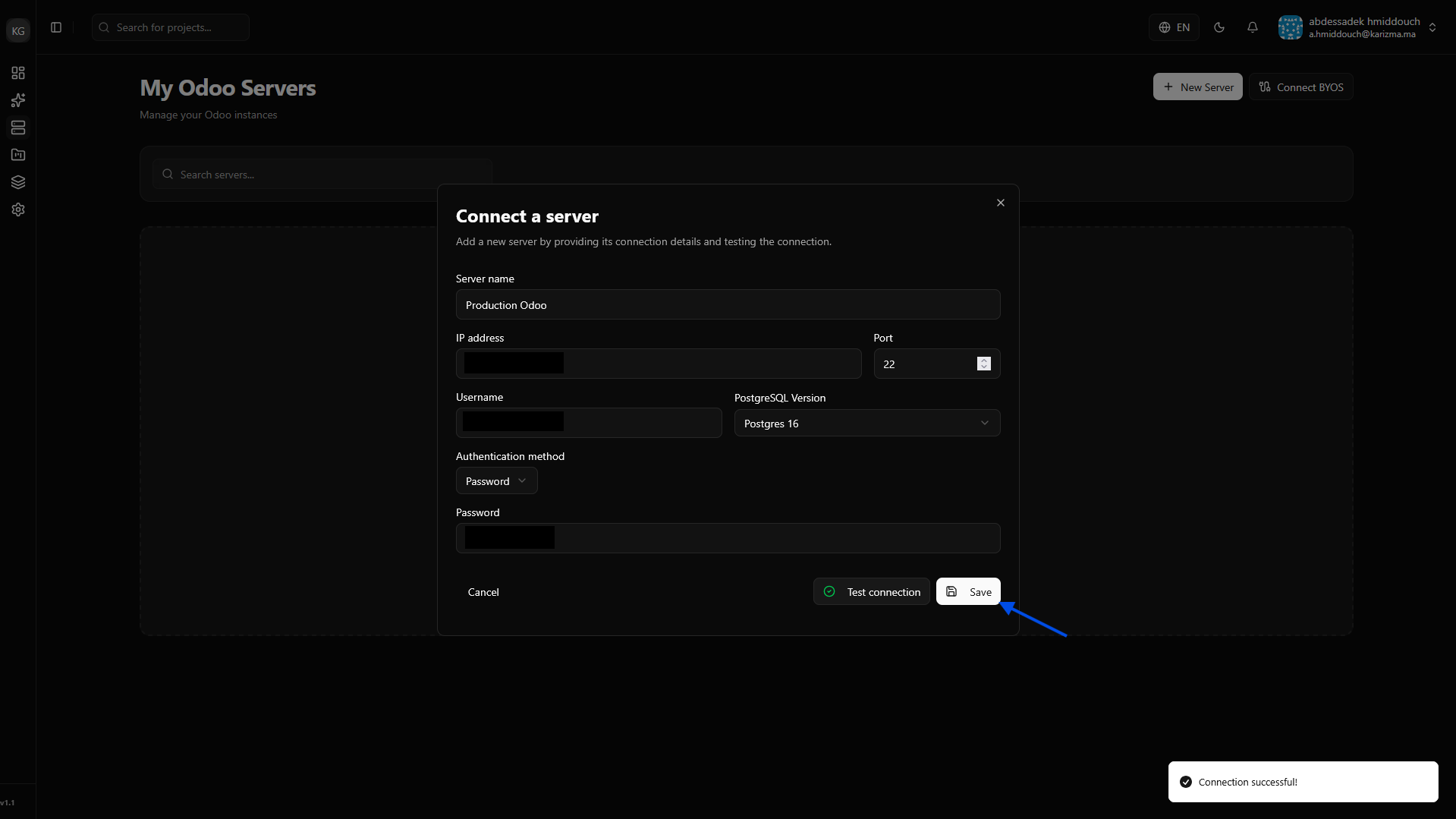
Fill Information & Test: Enter your server's connection details (IP address, port, and SSH/Password credentials). Before saving, click Test Connection to ensure PaaS.sh can securely reach your machine.
-
Save the Server: Once the test is successful, the save option will be enabled. Click it to add the server to your dashboard.
-
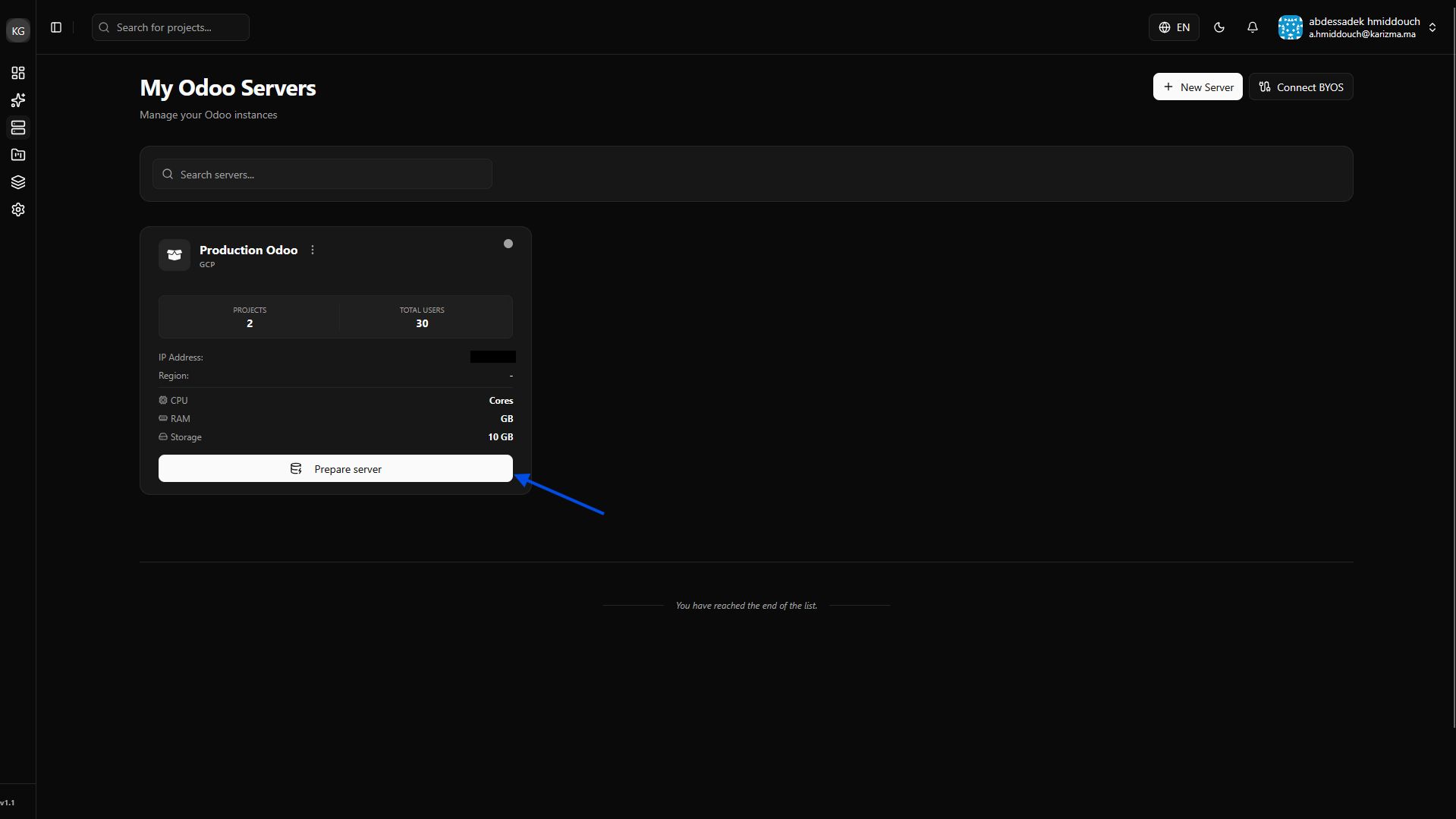
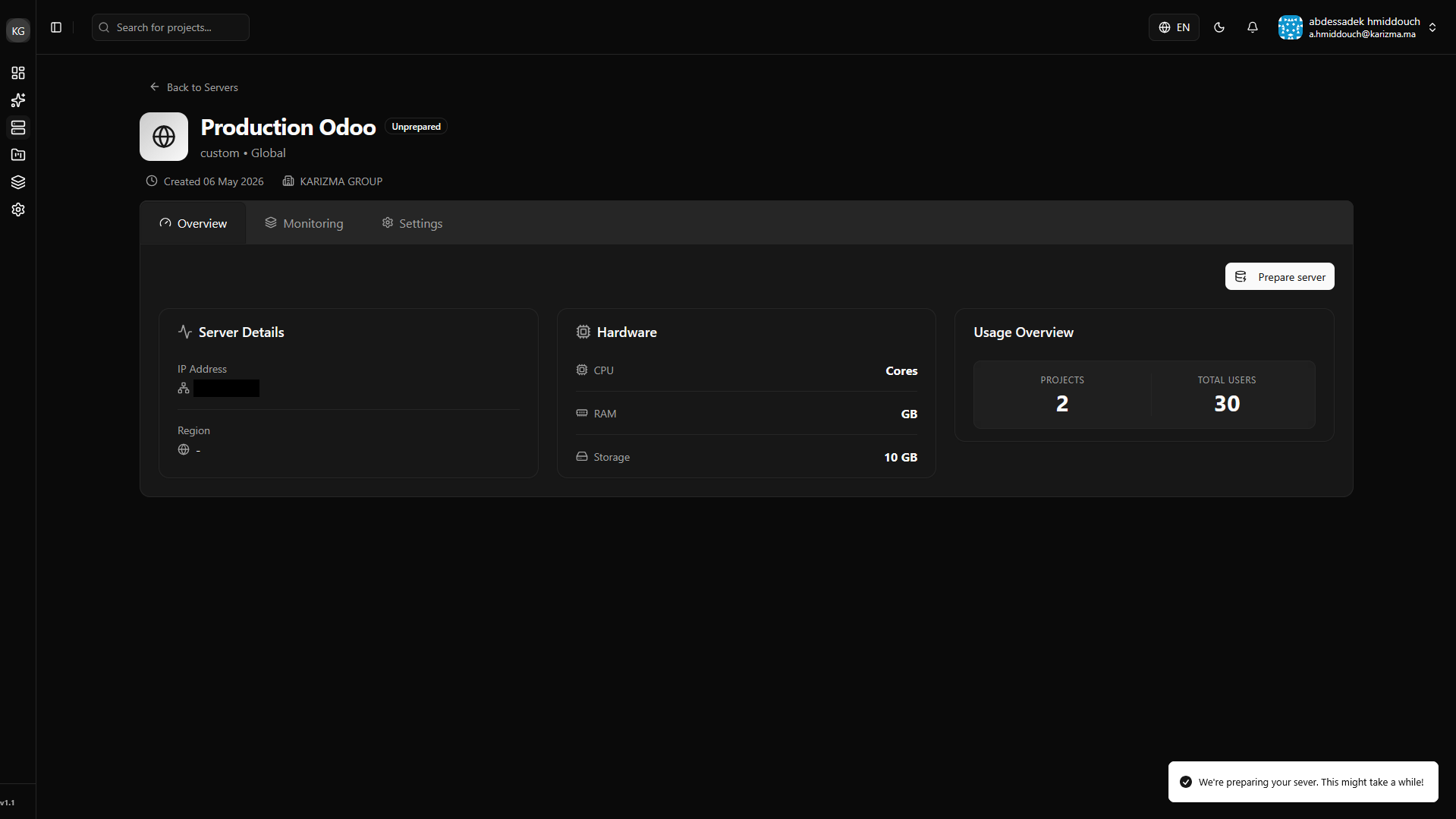
Prepare the Server: Your server is now saved in the list, but its status will be marked as unprepared. Click on Prepare Server to instruct PaaS.sh to automatically install the necessary infrastructure (like Docker and system dependencies) required to run Odoo.
-
Completion: Wait a few moments for the automated setup to finish. Once done, your server status will update to "Prepared."
🎉 Congratulations! Your custom server is now fully integrated with PaaS.sh and ready to deploy projects.