DNS Provider
A domain name is your online identity. It prevents your users from having to search for your business using a string of obscure IP numbers separated by dots.
Managing DNS records across different platforms can often be a disjointed and frustrating experience. Our goal at PaaS.sh is to give you absolute, centralized control over your entire infrastructure. By integrating your domain directly into our platform, you can seamlessly map custom domains to your environments, manage routing, and add new DNS records for all your projects straight from a single dashboard.
Registering Your Domain Name
To hand over the routing management of your domain to PaaS.sh, you need to register it within your Organization Settings.
-
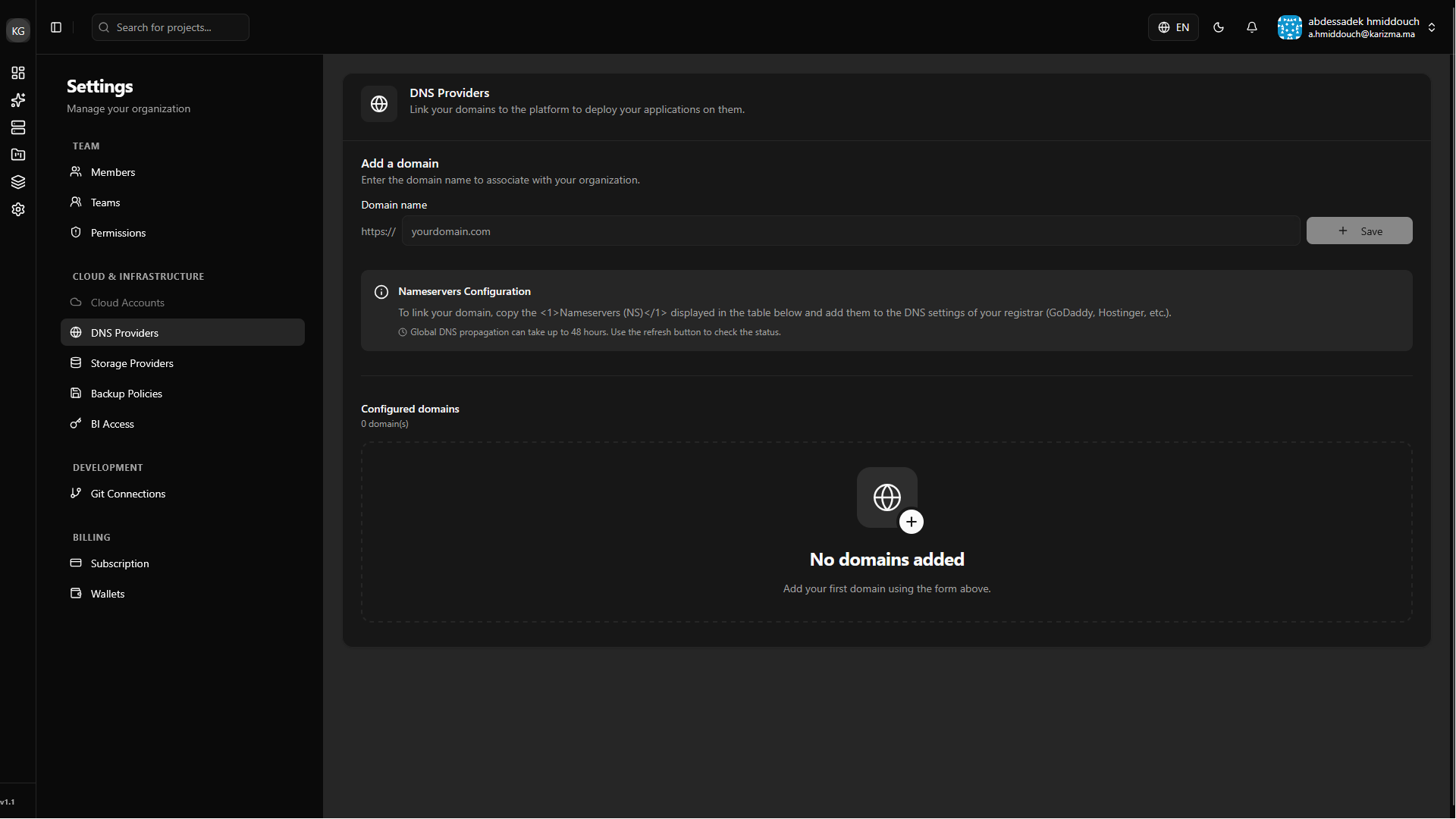
Add Your Domain: Navigate to the DNS Provider page from your Organization Settings. Enter your root domain name and click save.
-
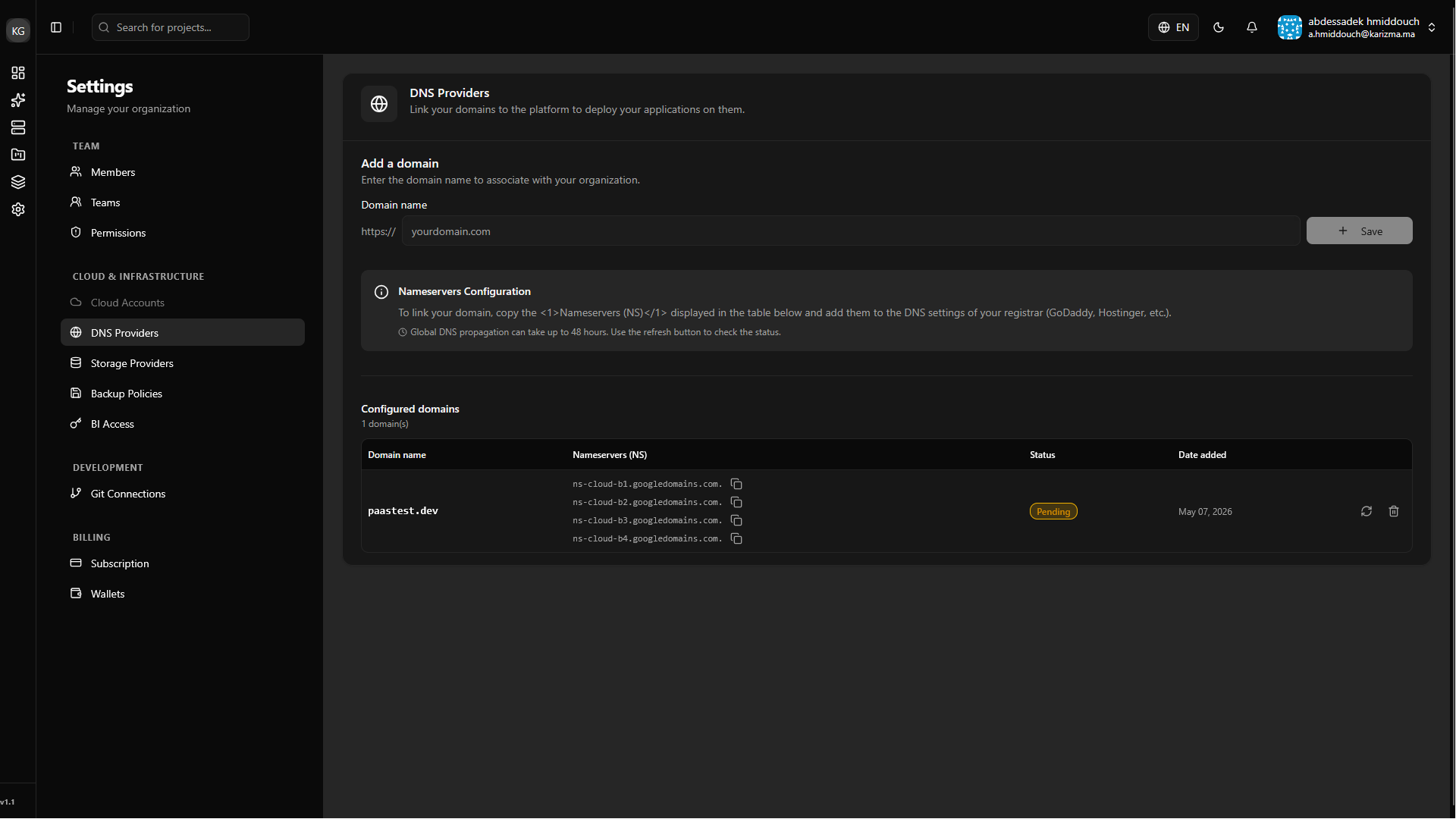
Update Your Nameservers: Once added, your domain will appear in a Pending state. PaaS.sh will generate a set of custom Nameservers (NS). You must copy these records and paste them into the custom nameserver settings at your domain registrar (e.g., GoDaddy, Namecheap, Route53).
-
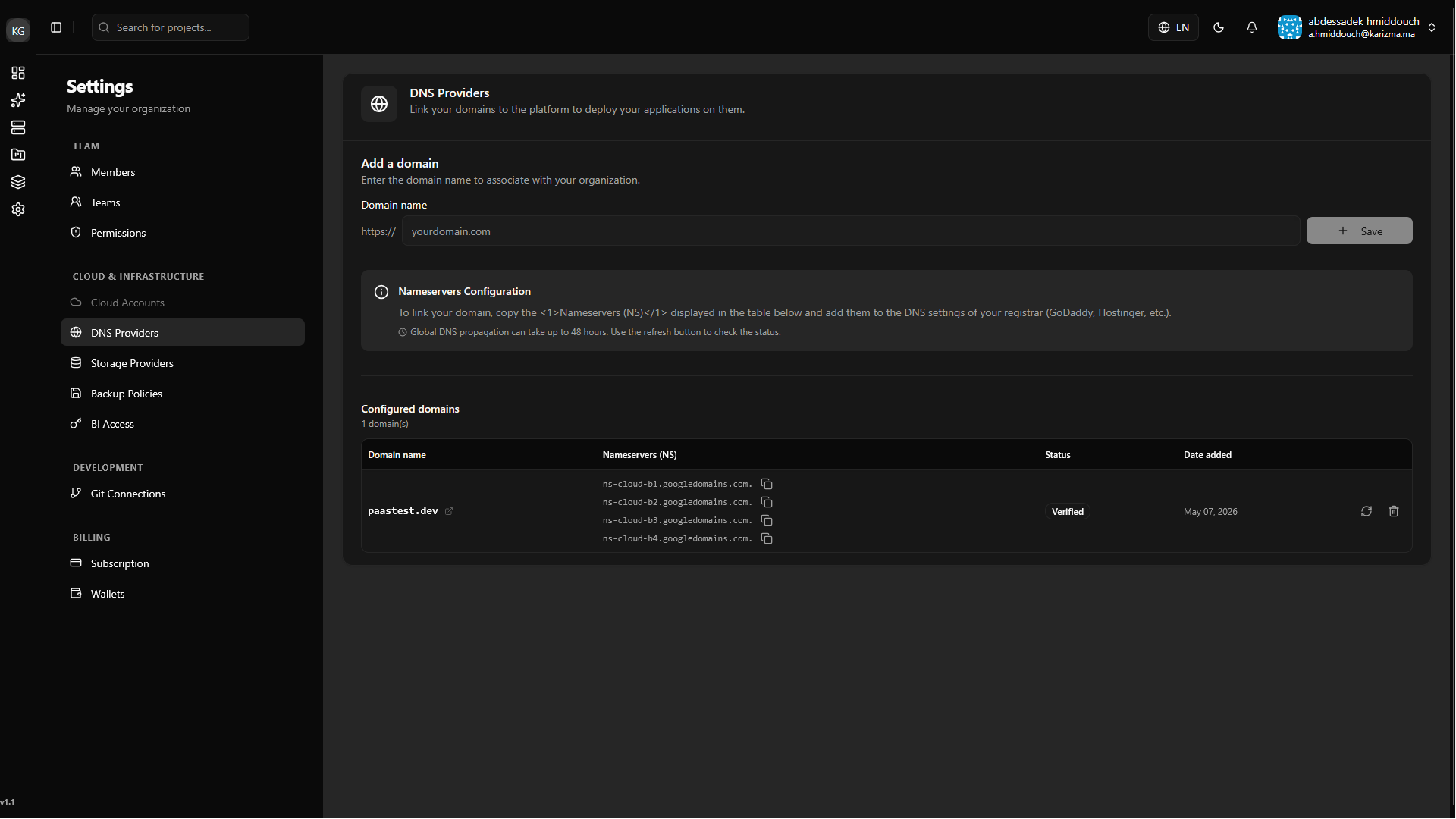
Wait for Verification: DNS propagation can take anywhere from a few minutes to 48 hours, depending on your registrar. Once the internet recognizes the change and PaaS.sh detects the new nameservers, the status will automatically update to Verified.
Managing Your DNS Configuration
Once your domain is verified, PaaS.sh becomes the control center for all of its routing rules.
-
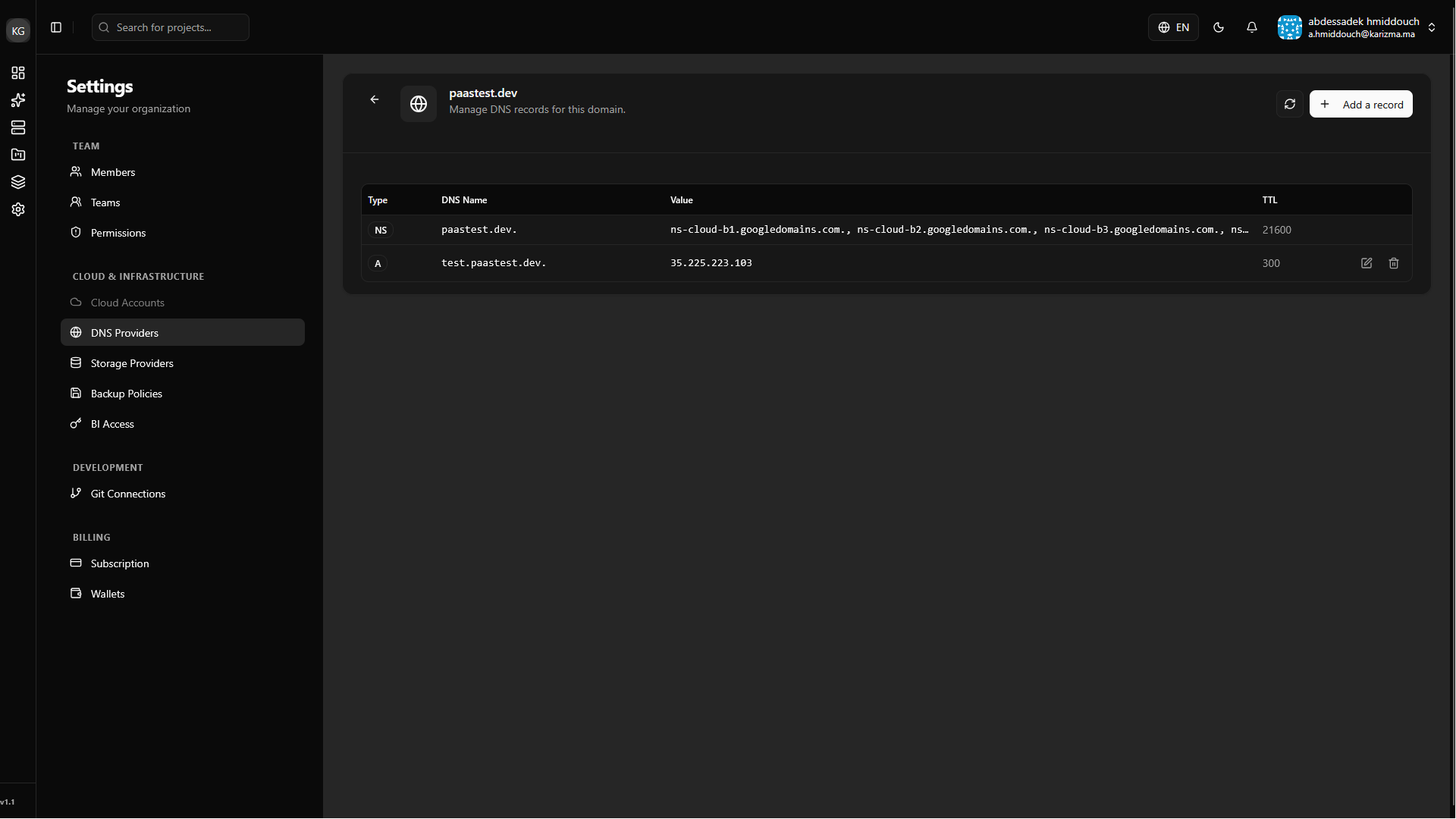
Access DNS Settings: Click on your verified domain name in the list to open its detailed configuration panel.
-
Add New Records: From this panel, you can easily manage your mapping. Click on Add Record to create new
A,CNAME,TXT, orMXrecords. This is especially useful for instantly routing subdomains (likestaging.yourcompany.com) to specific branch environments.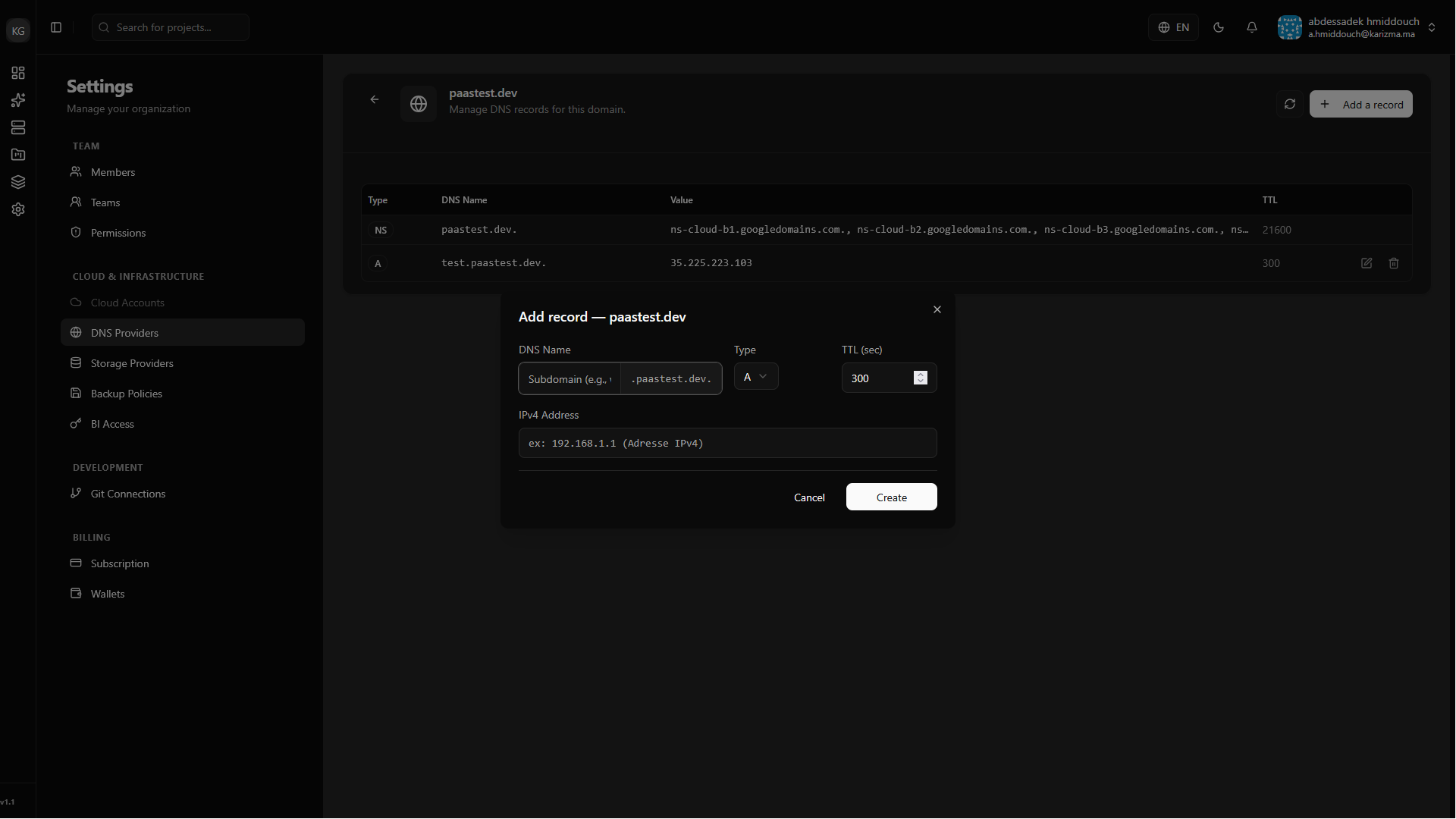
Once your root domain is registered and verified here, you will be able to easily select it from dropdown menus within your project's advanced dashboard to automatically link branches to specific subdomains!