Project Overview
Welcome to the advanced project management layer of PaaS.sh. While the Getting Started guide walked you through deploying your first application, managing a scaling project requires deeper visibility and control. This project dashboard serves as your high-level command center, allowing you to monitor health, manage team access, and oversee the broader ecosystem of your Odoo deployment before diving into the granular coding and database tools.
Project Overview
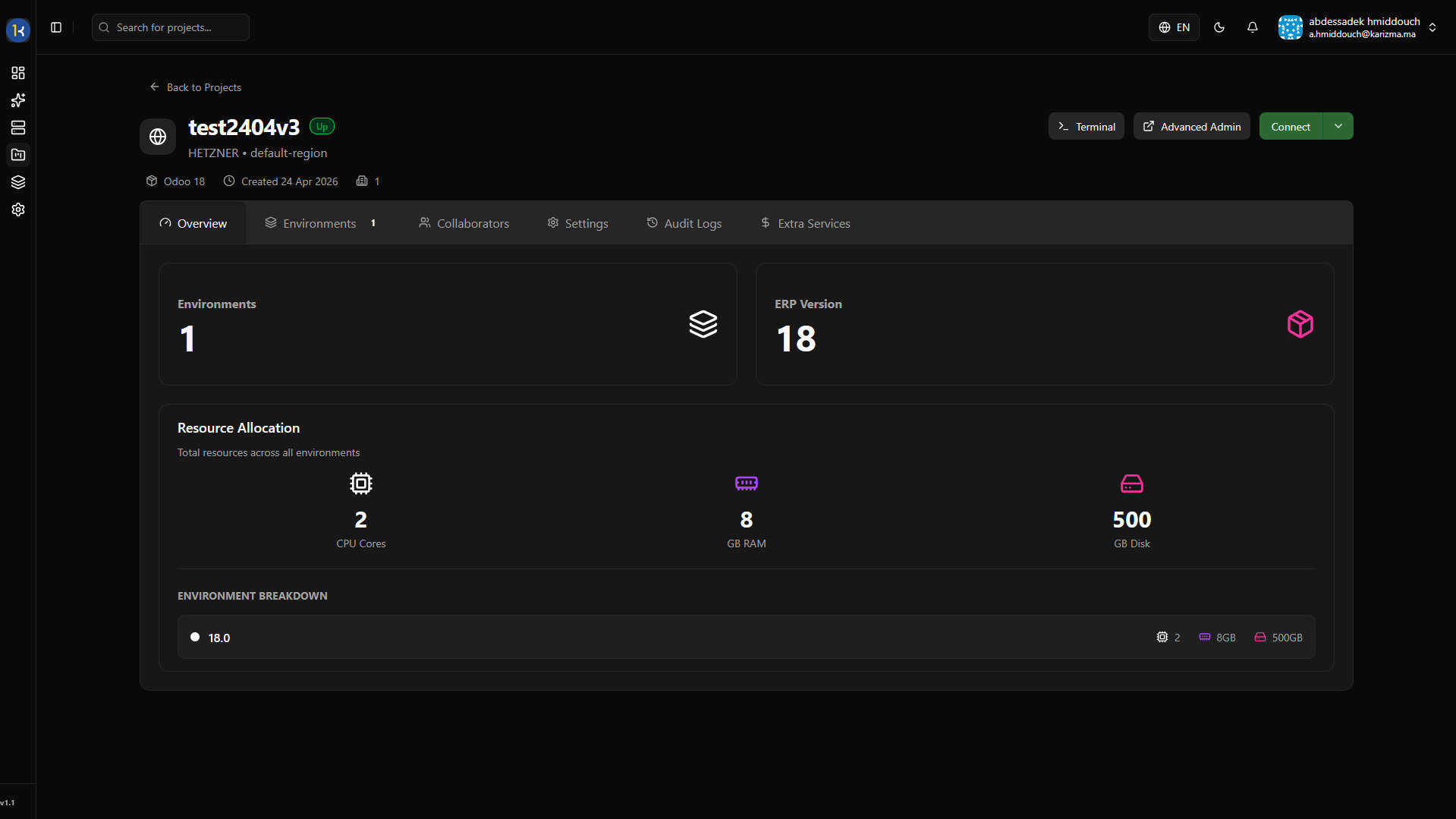
The main dashboard page provides general information and a high-level summary of your project's current status, resource usage, and active metrics.
Environment
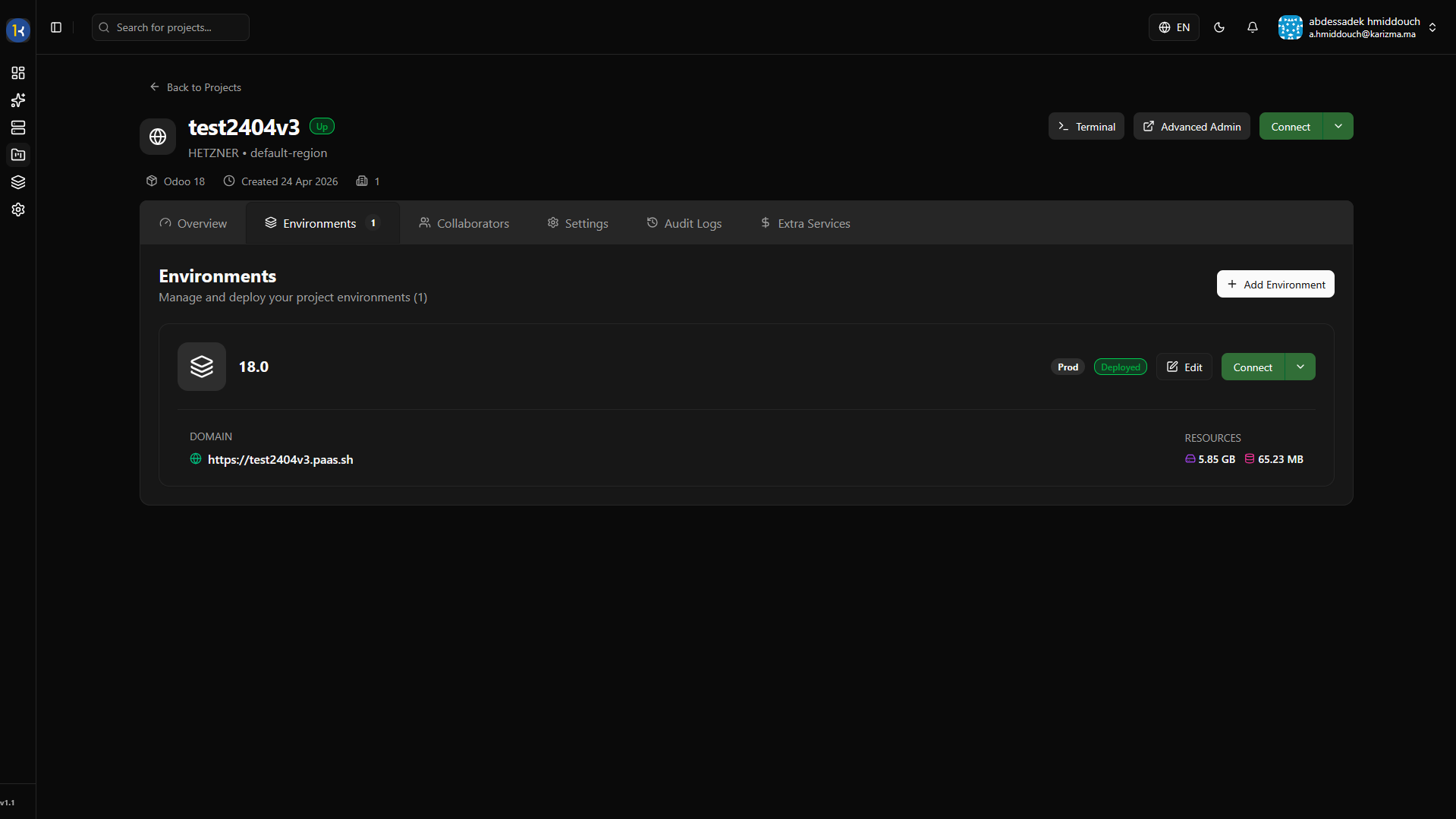
The Environment tab displays all the active environments currently running within your project. In PaaS.sh, an "environment" is simply a deployed branch (whether that is Production, Staging, or a Dev branch) running in its own isolated container.
Collaborators
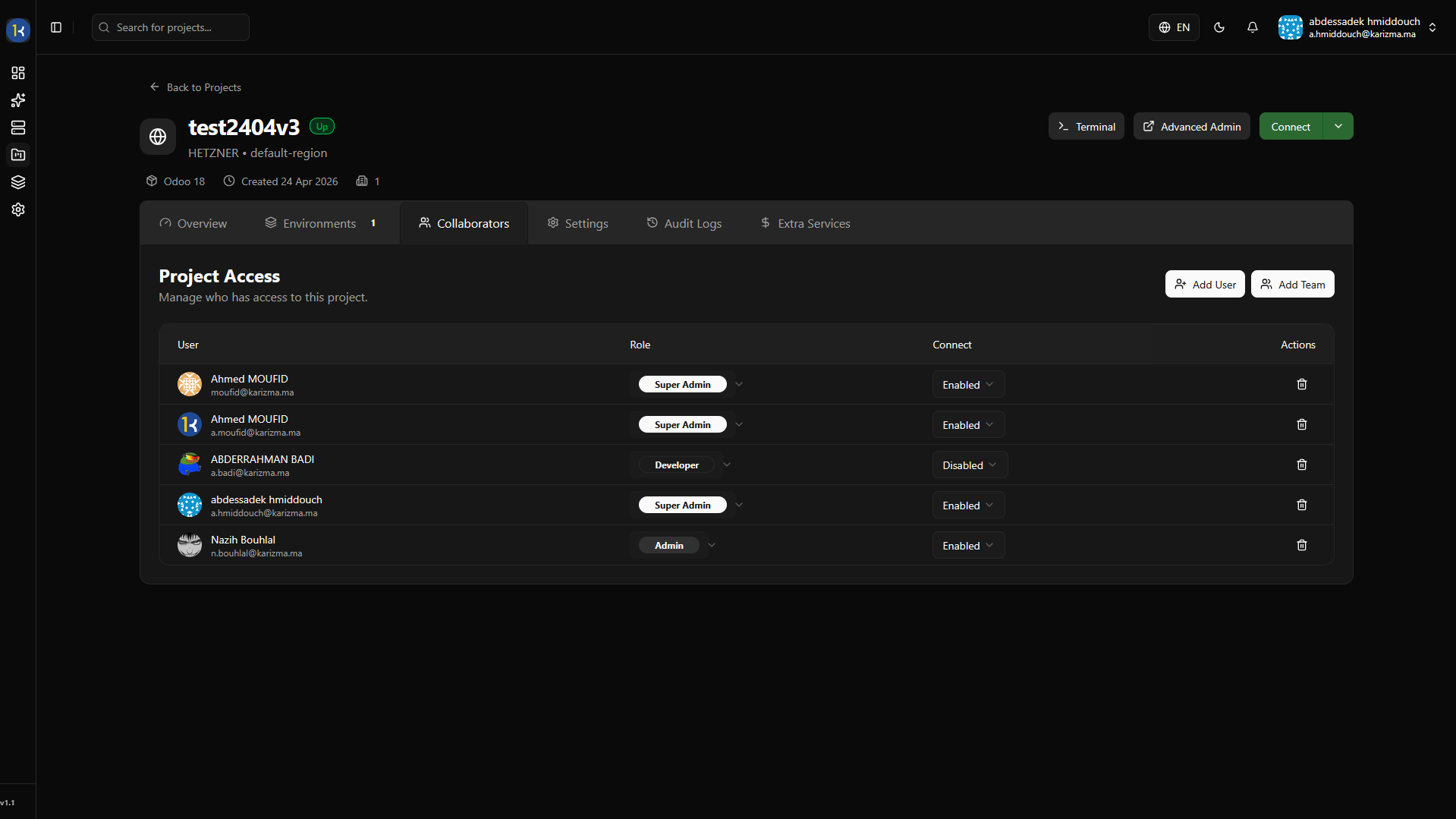
Security and access control are paramount. In the Collaborators tab, you can manage exactly who has access to this specific project and define their roles.
Adding Individual Users
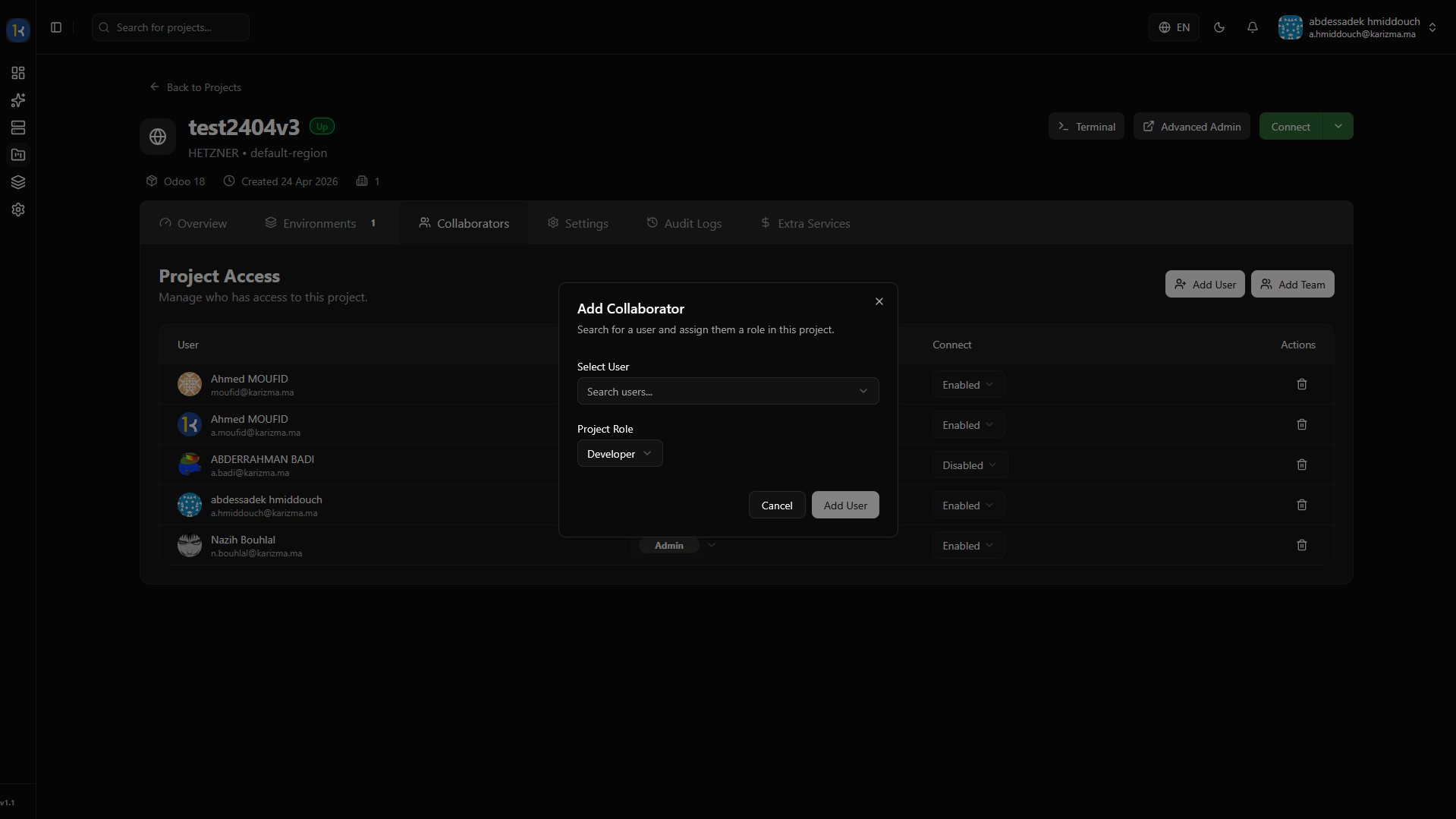
You can invite members to your project individually:
-
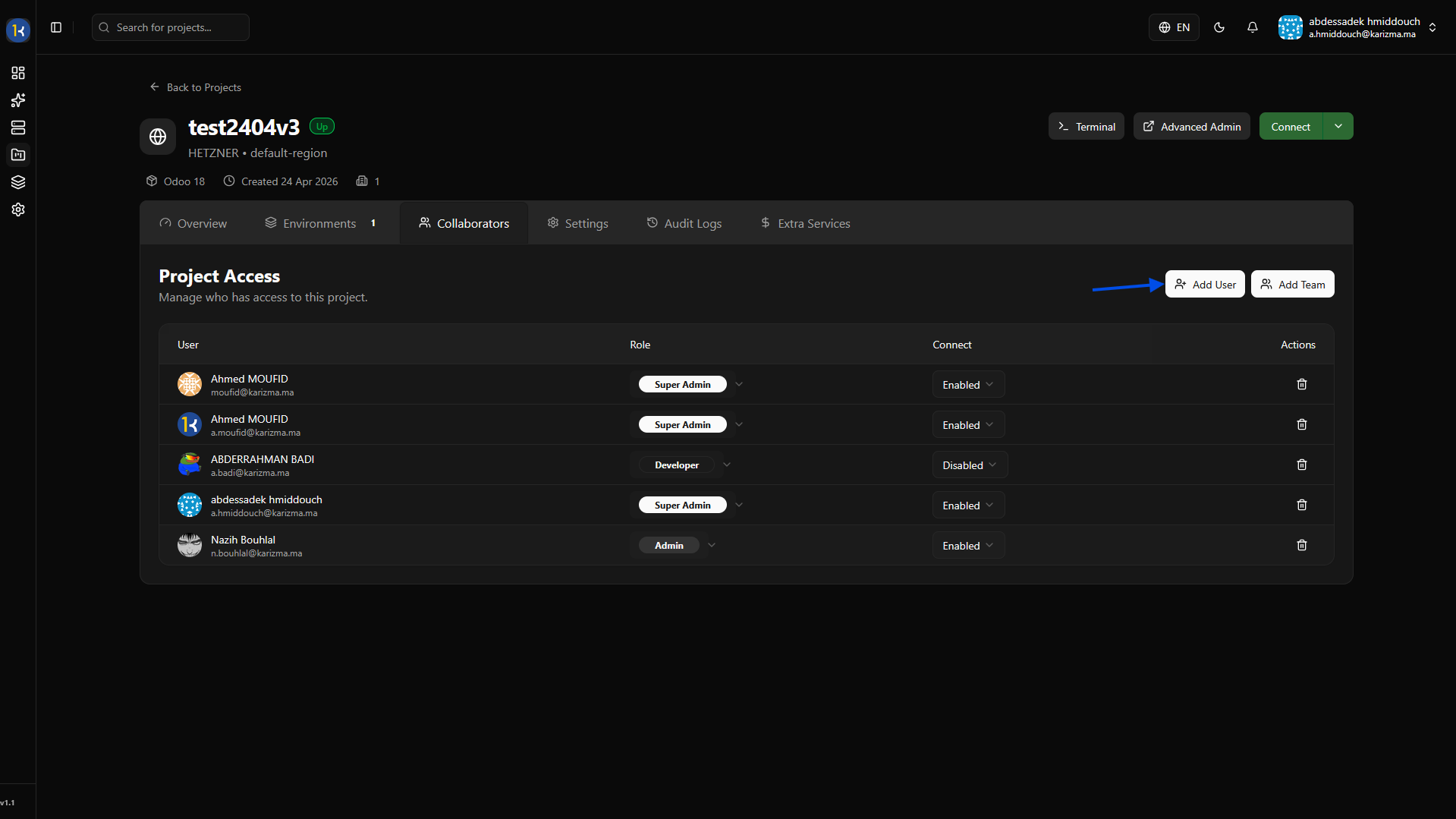
Click on the Add User button.
-
Fill in the required information, such as their email and project-level role, then submit.
Adding a Team
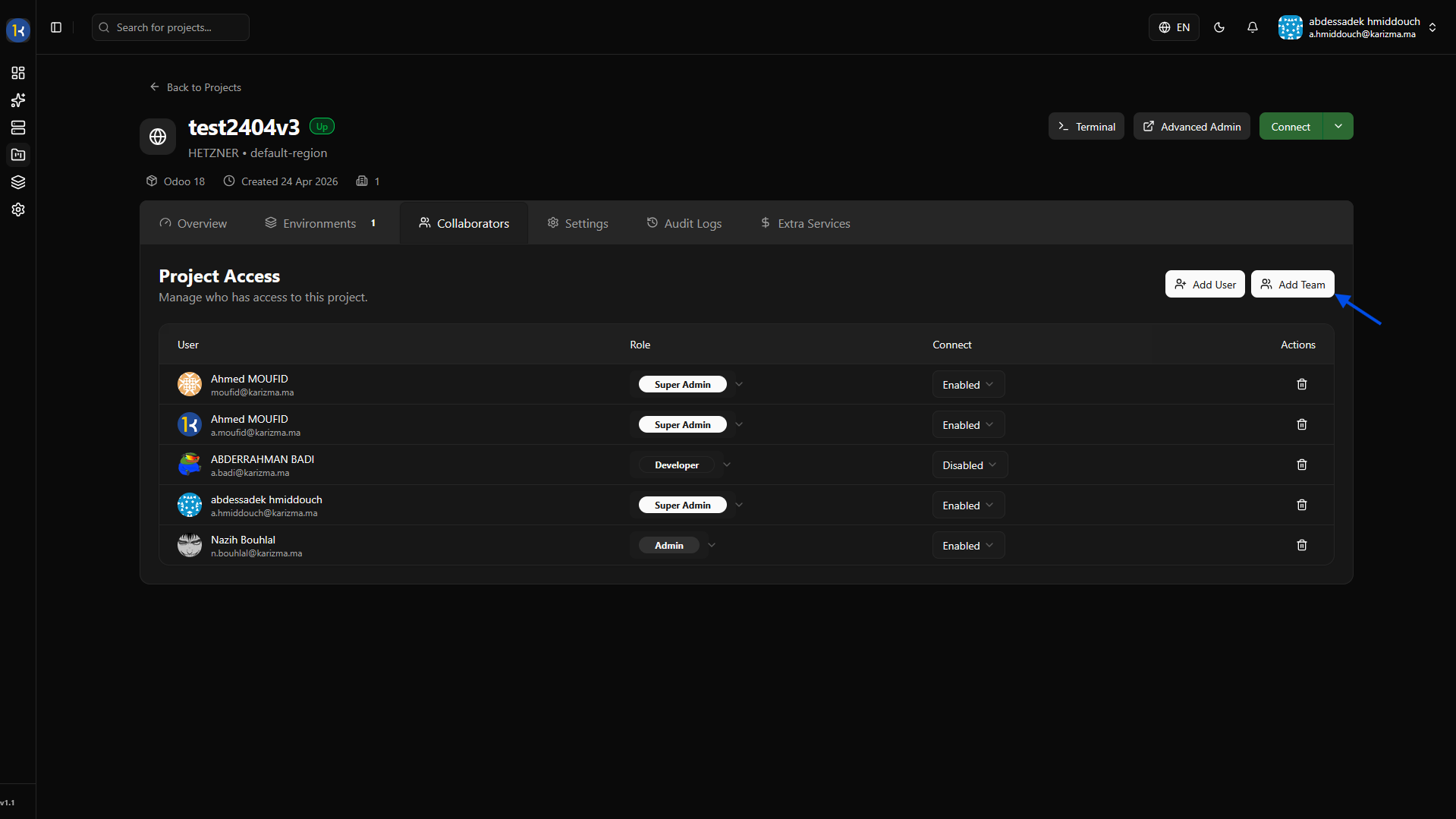
If you have multiple developers or managers, you can add an entire group of users with a single click by assigning a Team:
-
Click on the Add Team button.
-
Choose the specific team you want to grant access to from the dropdown list.
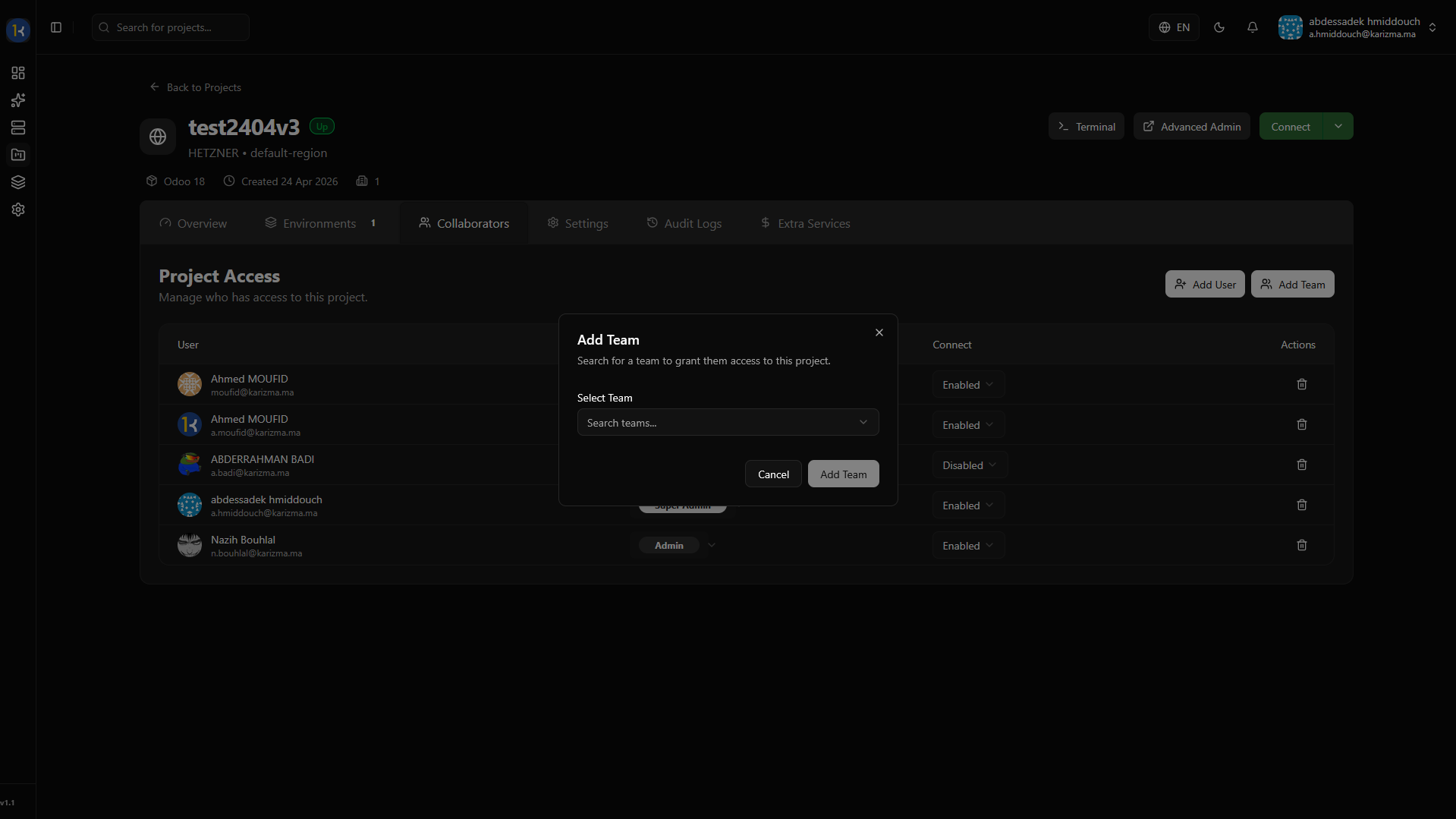
Teams are configured at the Organization level, not the Project level. For more information about teams and how to create them, please check the Organization Teams documentation.
Settings
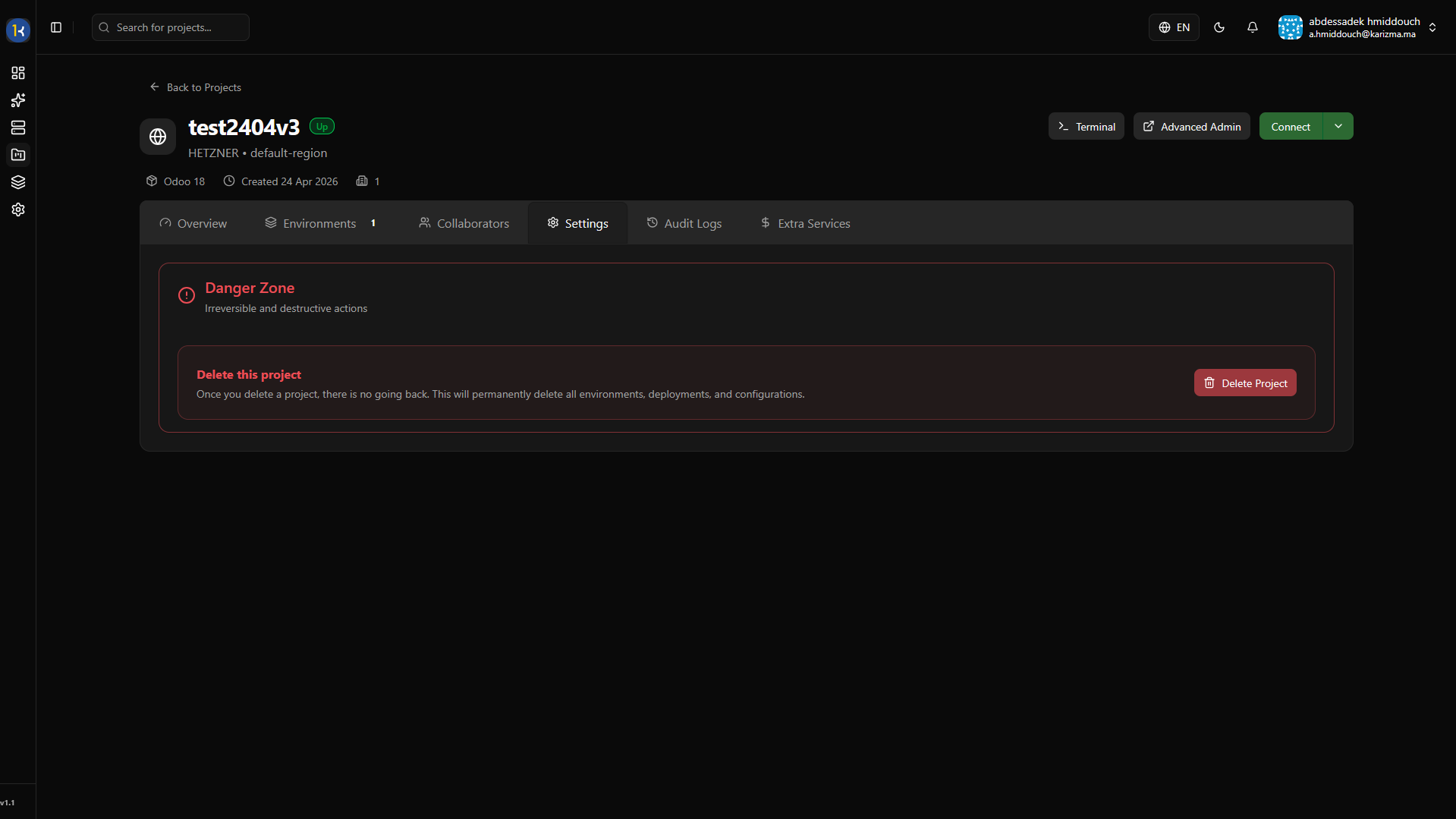
The Settings tab contains critical project-level configurations. Currently, this includes the "Danger Zone" where you can permanently delete your project and all its associated data if it is no longer needed.
Audit Logs
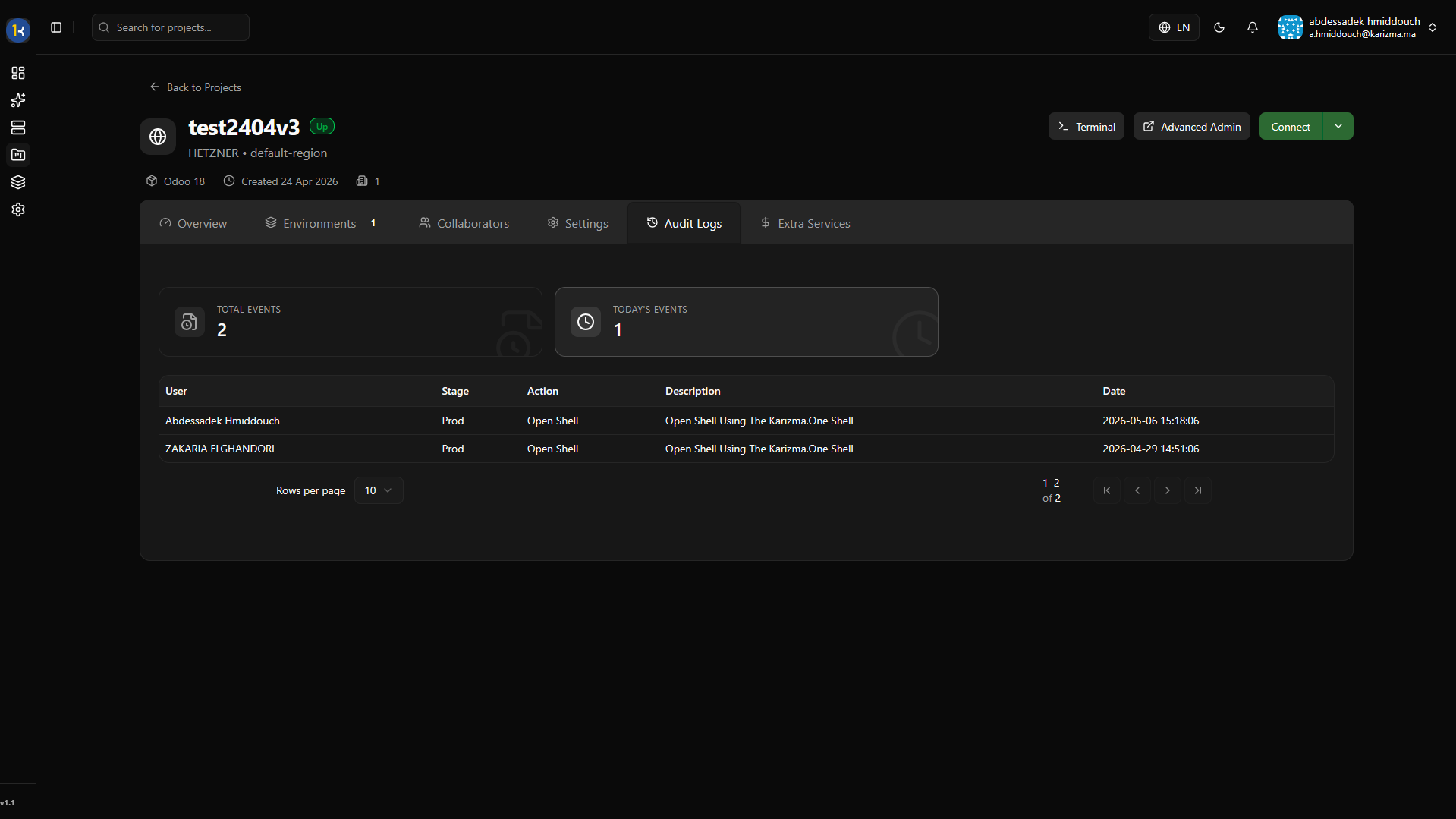
Compliance and security tracking is built-in. From the Audit Logs tab, you can consult a detailed history of administrative actions taken on your project, allowing you to see exactly who performed an action and when.
Extra Services
PaaS.sh is more than just Odoo hosting; it is an ecosystem. We offer many extra infrastructure and productivity services you can attach to your project to benefit your workflow.
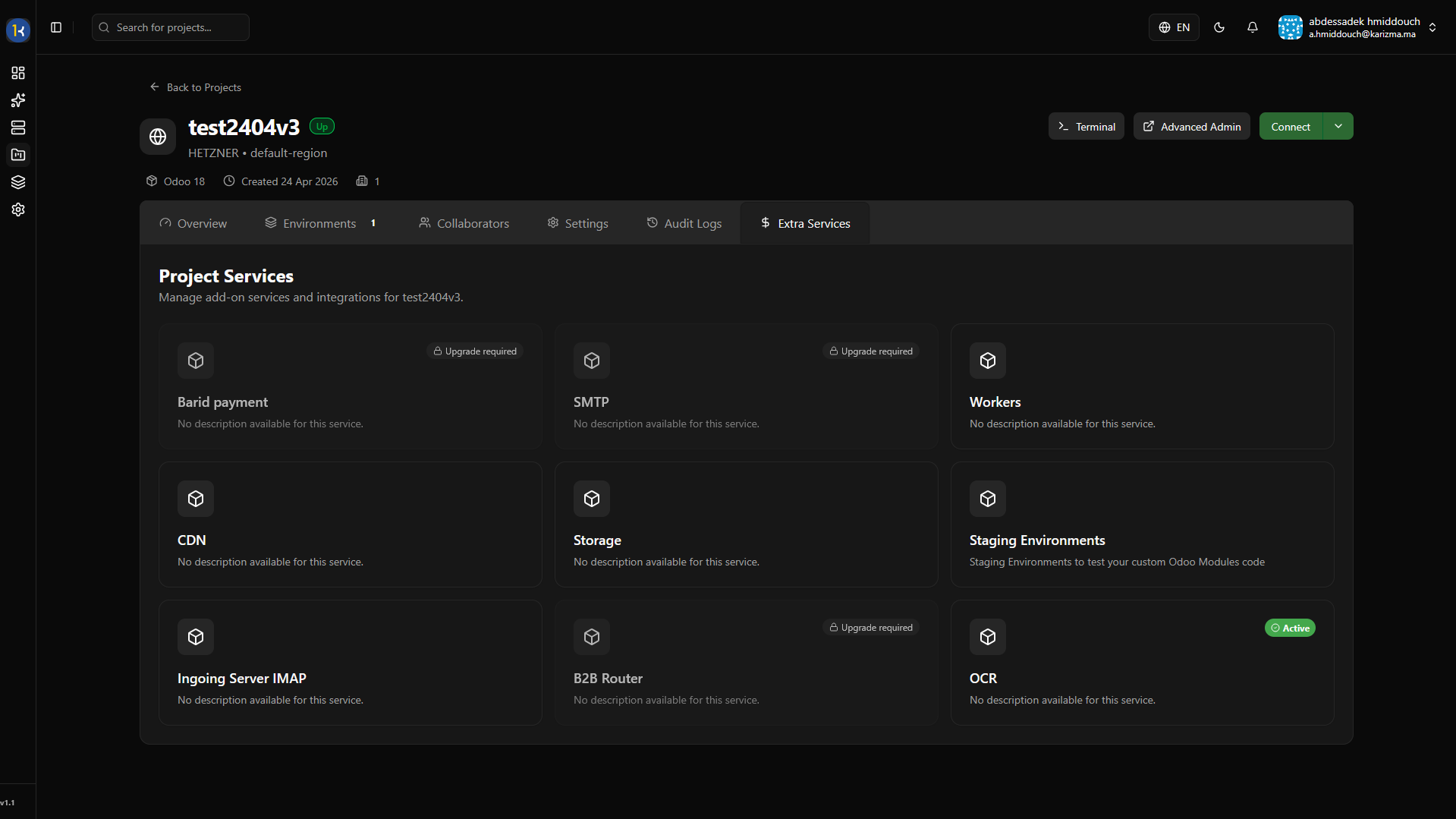
Check out our Extra Services documentation to see what else you can integrate.
Now that you understand the high-level project dashboard, it's time to dig into the actual code, databases, and container management.
Take full control: Move to the next page to explore the Advanced Dashboard, where the real magic happens.