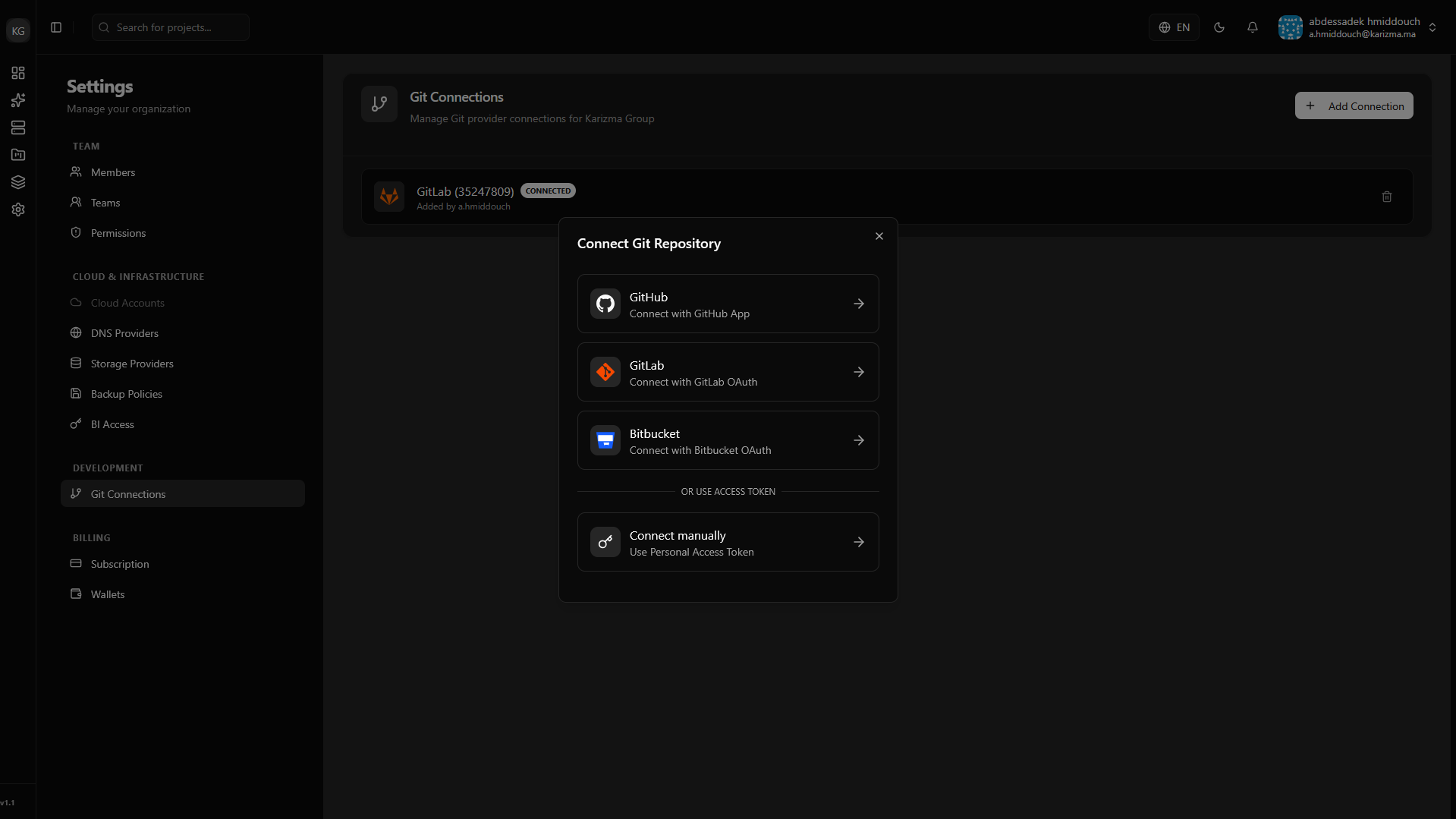
Git Connection
Connecting your version control system directly to PaaS.sh is a crucial step for automating your deployment workflow. By linking your Git provider accounts, you simplify project management, enable automated CI/CD pipelines, and allow the platform to fetch and deploy your code securely.
Supported Providers
We currently support seamless integration with the industry's leading Git platforms:
- GitHub
- GitLab
- Bitbucket
Managing Your Connections
You can link, view, and manage all your connected version control accounts directly from the Git Connection settings page. Once connected, your repositories will be readily available from the dropdown menus when creating new projects or configuring branches.
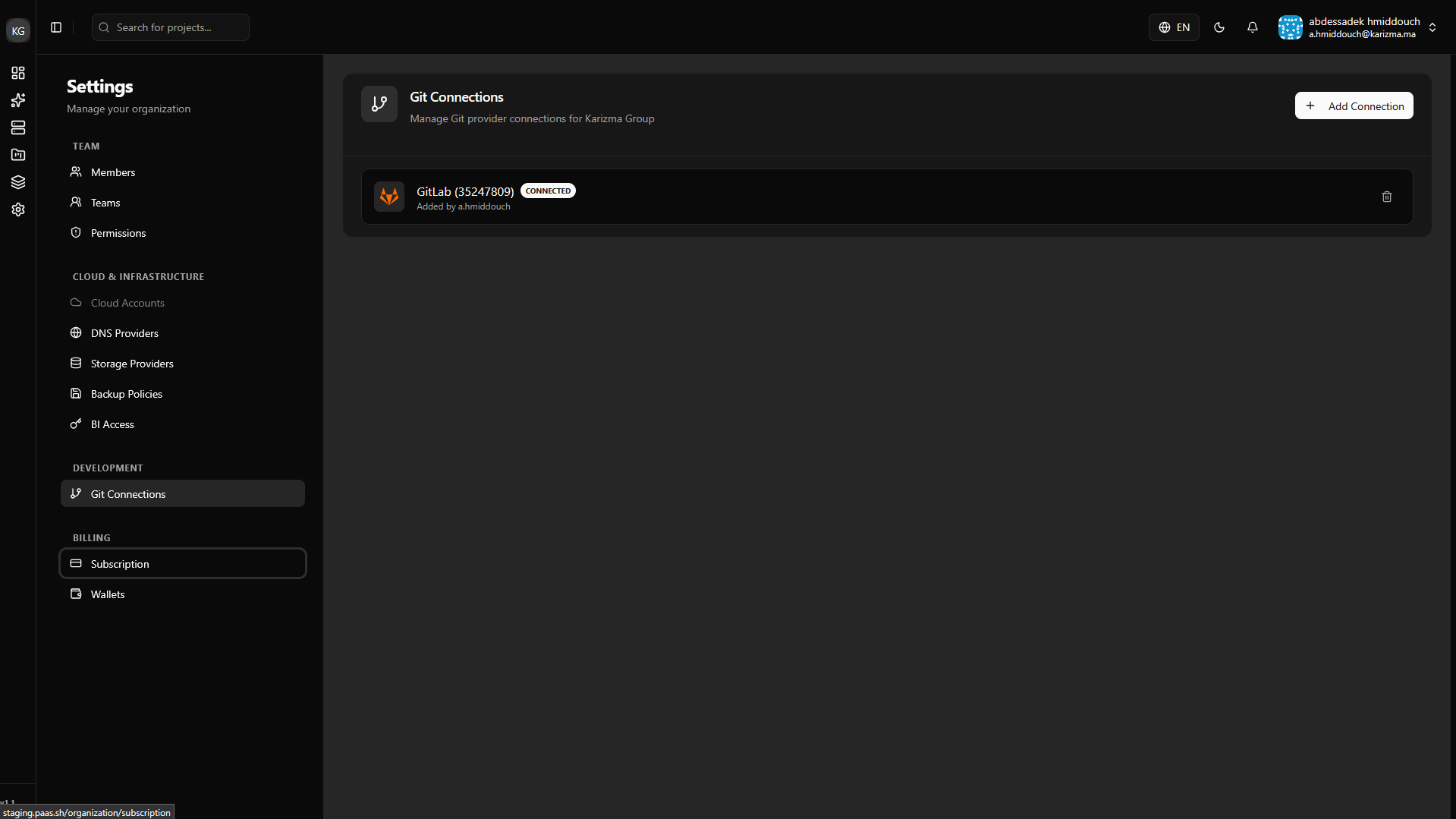
Connecting an Account
When adding a new version control account, you have the flexibility to choose between two authentication methods:
- OAuth Integration: The fastest and most convenient method. Simply authorize PaaS.sh directly through your provider's web interface with a single click.
- Manual Token: If you prefer stricter credential management or are dealing with a self-hosted instance, you can connect manually by providing a Personal Access Token (PAT).