Backup Policies
Data security is non-negotiable. The Backup Policies page is the core of your organization's backup configuration. This is where you define exactly how often your databases are saved, how long those snapshots are retained, and where they are securely stored.
By defining these policies at the organization level, you ensure a consistent and automated safety net across all your projects.
Automated backups are strictly designed for your critical data. Therefore, backup policies are only applicable to Production (prod) and Staging (staging) environments.
Development (dev) environments are considered ephemeral testing grounds and do not support automated backups.
Configuring Environment Policies
Because production and staging environments serve different purposes, they usually require different backup strategies (e.g., daily backups for production, but only weekly for staging). PaaS.sh allows you to configure the schedule and storage destination for each environment separately.
Production Environment
Your prod environment holds your live, critical business data. Here, you can configure high-frequency schedules and select your preferred external storage provider to ensure your data is always safe and synchronized.
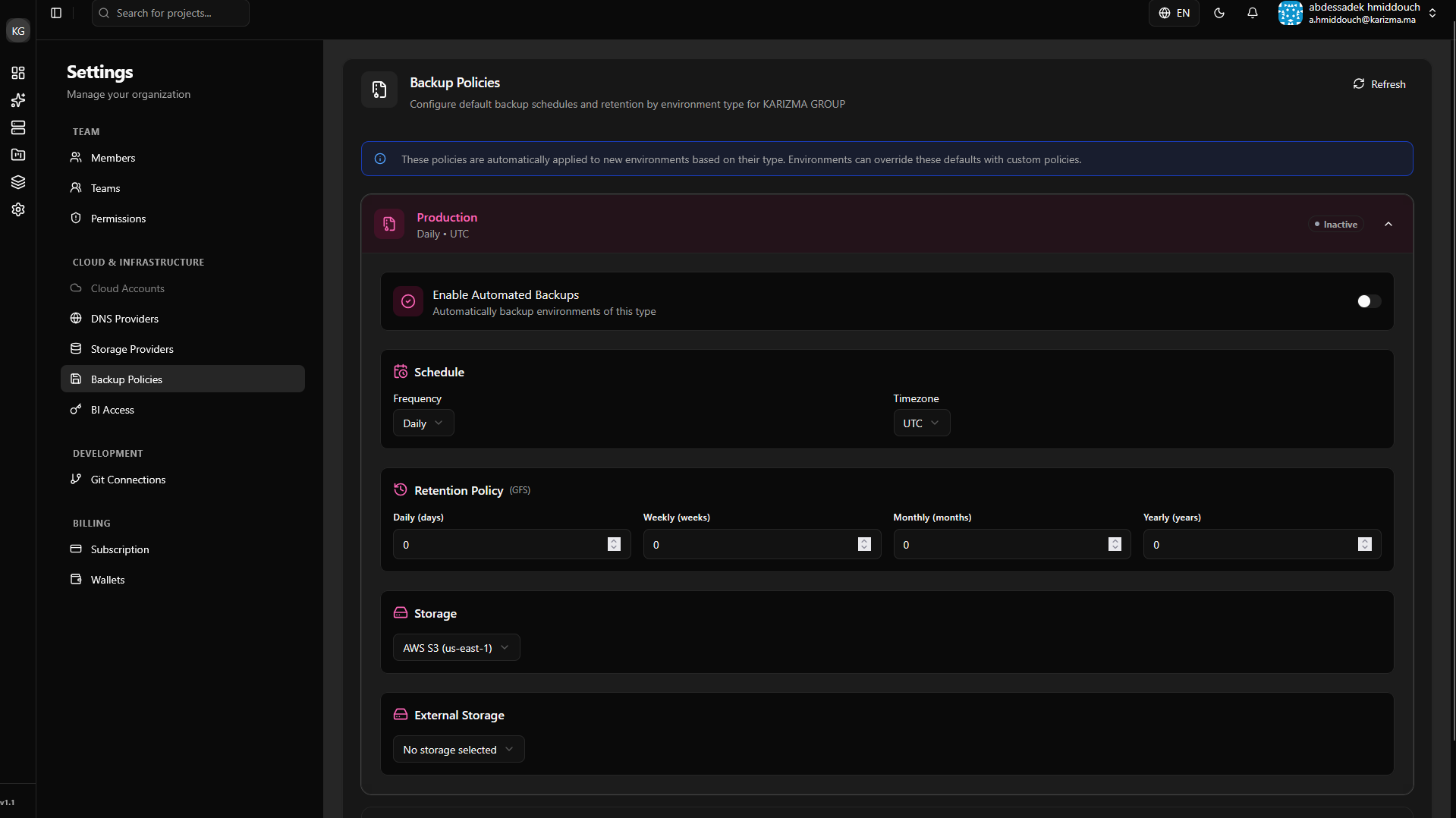
Staging Environment
Your staging environment is crucial for final testing before a release. While less critical than production, retaining regular snapshots here ensures you never lose important testing milestones or client approval states.
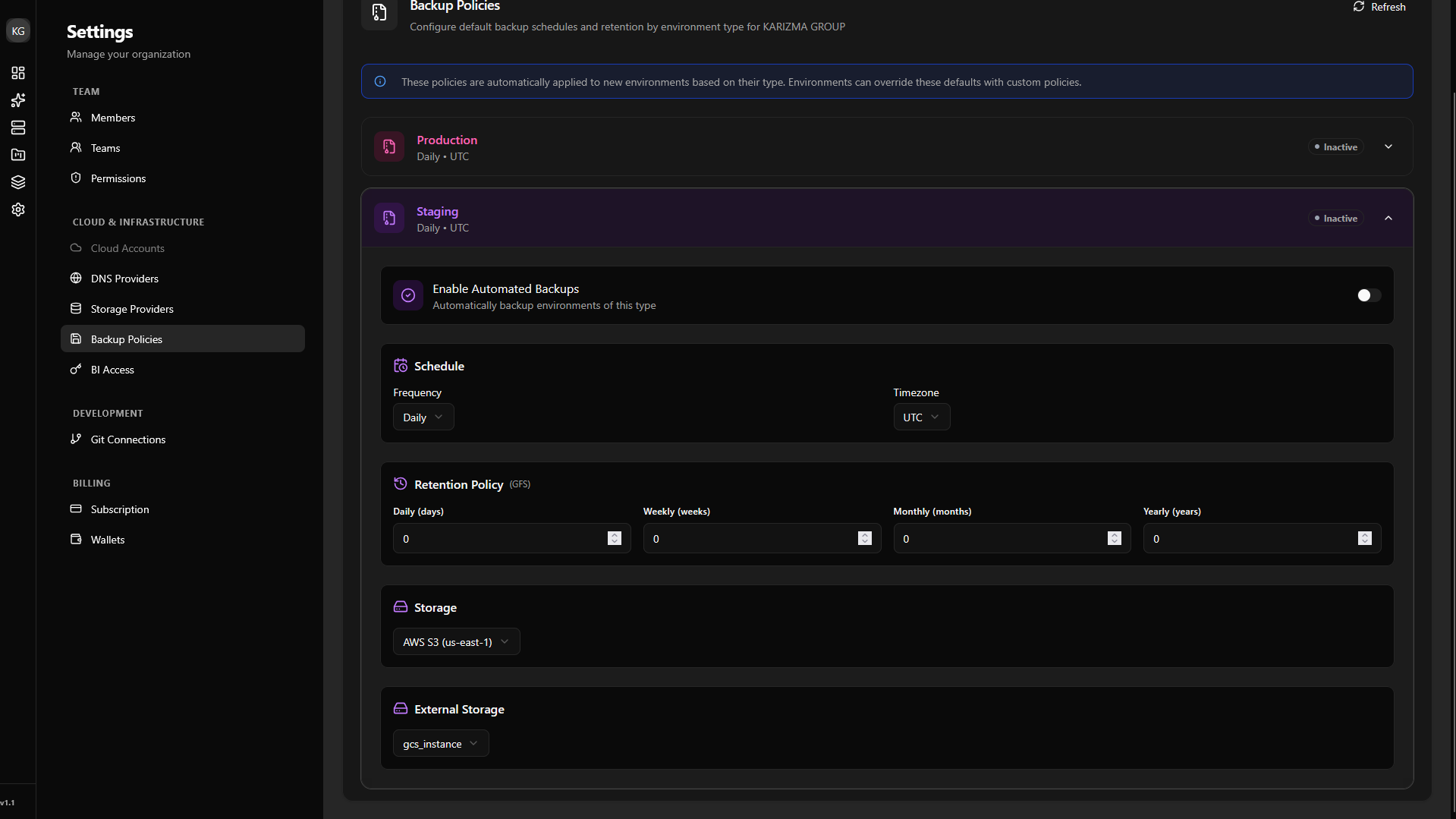
When configuring these policies, you will be able to route your backups to the external storage (like AWS S3 or an FTP server) that you set up in the previous step. If you haven't set one up yet, please review the Storage Provider documentation.