Subscription Management
As your organization scales and your infrastructure needs grow, you may need to adjust your PaaS.sh plan to unlock more resources, advanced features, or higher capacity.
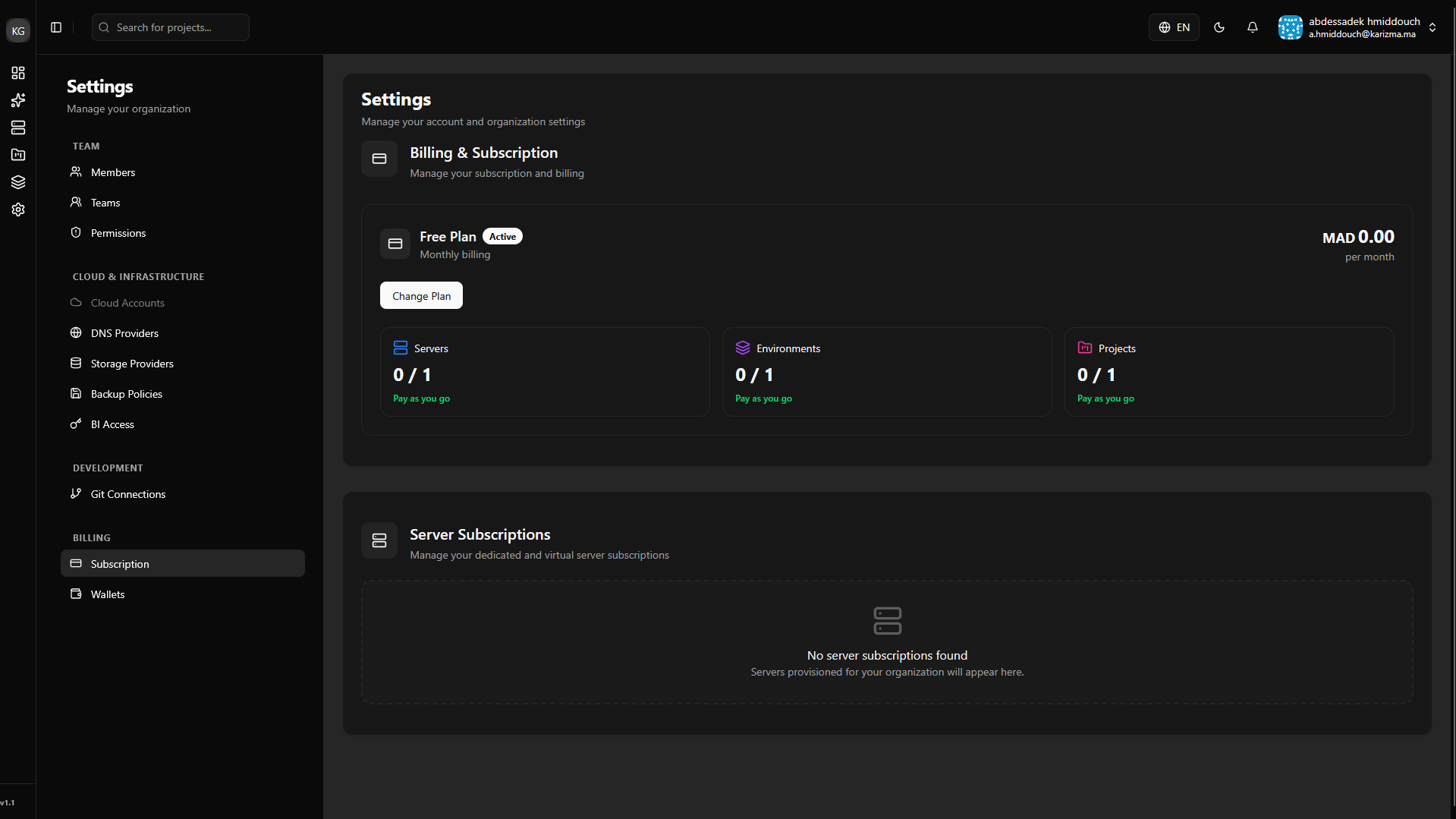
The Subscription page provides a transparent overview of your current billing status and allows you to seamlessly manage your active plans.
Viewing Your Current Plan
From the main subscription dashboard, you can view all the details regarding your currently active subscription, including your billing cycle, plan type, and allocated limits.
Changing Your Plan
If you need to upgrade to a higher tier to access more power, or downgrade if you are scaling back, the process is straightforward:
-
Navigate to your Subscription page.
-
Click on the Change Plan button to open the selection menu and view the available tiers.
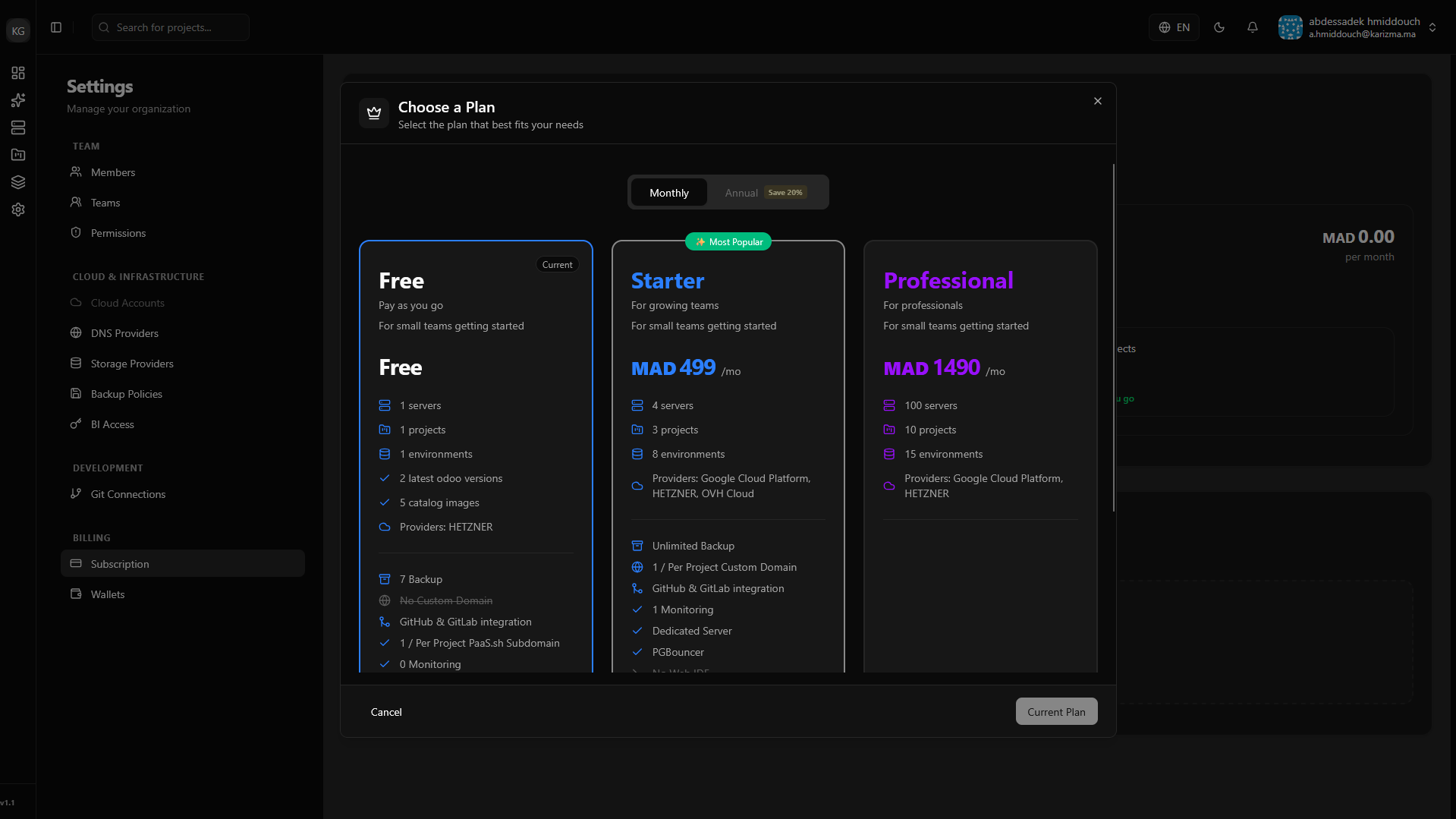
Once you select and confirm your new plan, the billing adjustments and resource allocations will be applied automatically to your organization.