Storage Provider
Storage providers are primarily used for managing your backups. By connecting your own external storage, you can automatically synchronize and securely push your project backups to an infrastructure you completely control.
PaaS.sh currently supports major cloud storage solutions and standard file transfer protocols, including:
- AWS S3
- Google Cloud Storage (GCS)
- Servers using SFTP, FTP, or FTPS
Managing Storage Providers
You can view and manage all your connected external storage options directly from your Organization Settings.
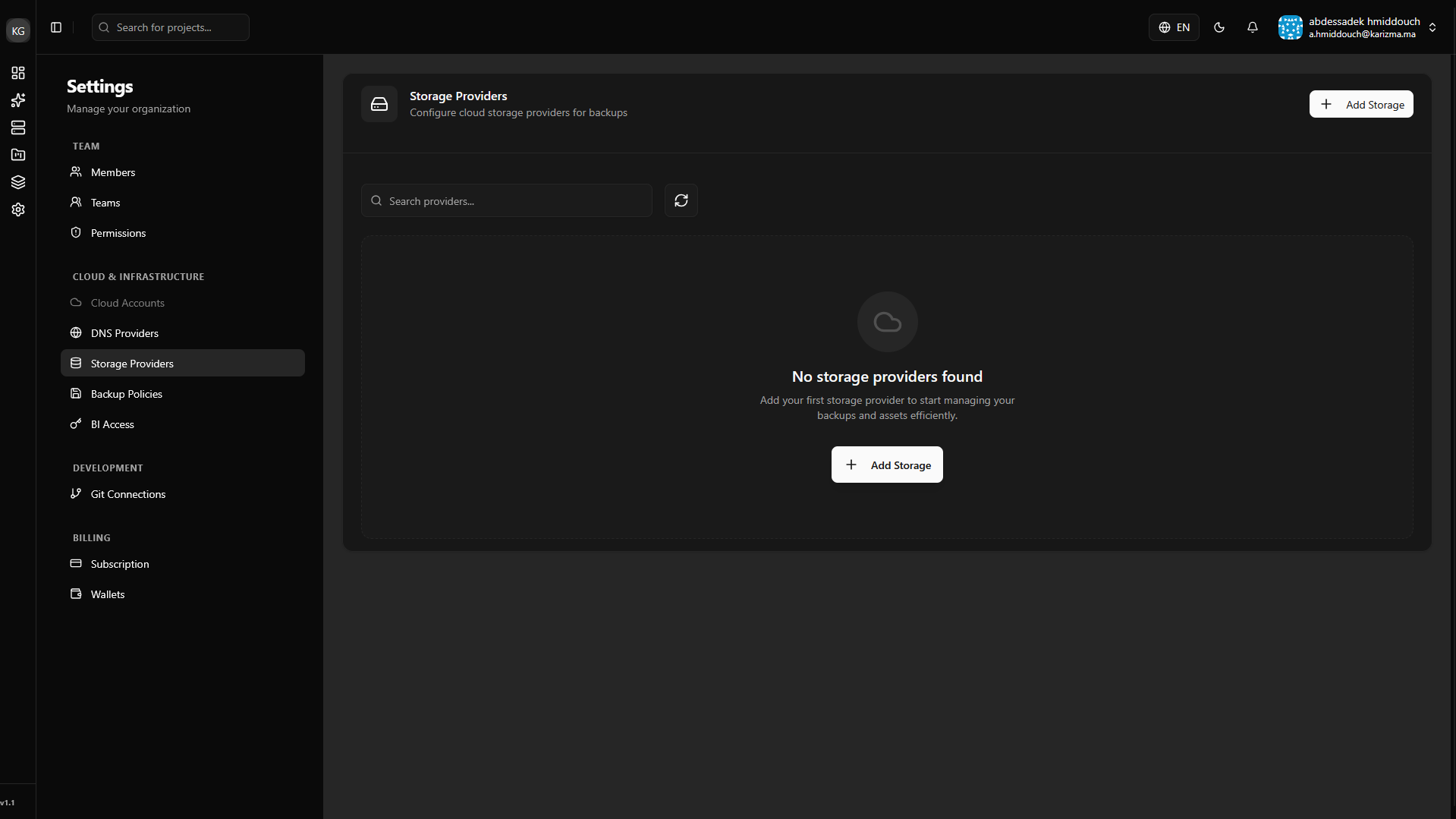
Adding a New Storage Provider
To link a new external bucket or server to your organization:
-
Initiate Creation: Click on the Add Storage Provider button.
-
Configure Details: A dialog will appear where you need to select your provider type and fill in the corresponding credentials (such as access keys, buckets, or server addresses).
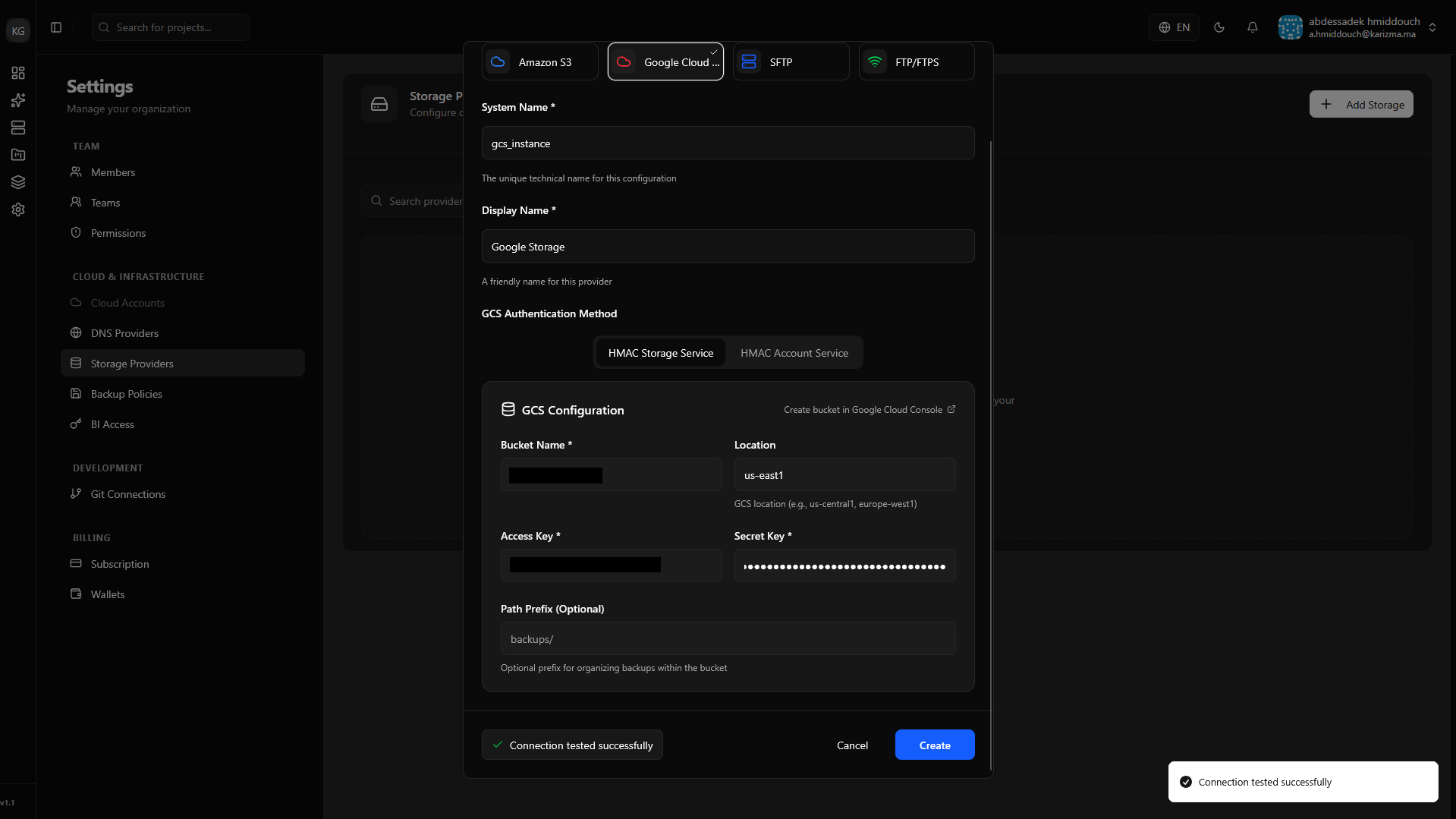 Connection Testing Required
To guarantee your backups never fail due to incorrect credentials, you cannot save or register a storage provider until you successfully test its connection. Always click the test button before submitting!
-
Verify Provider: Once the connection passes and you submit the form, your newly created storage provider will be active and visible in your provider list.
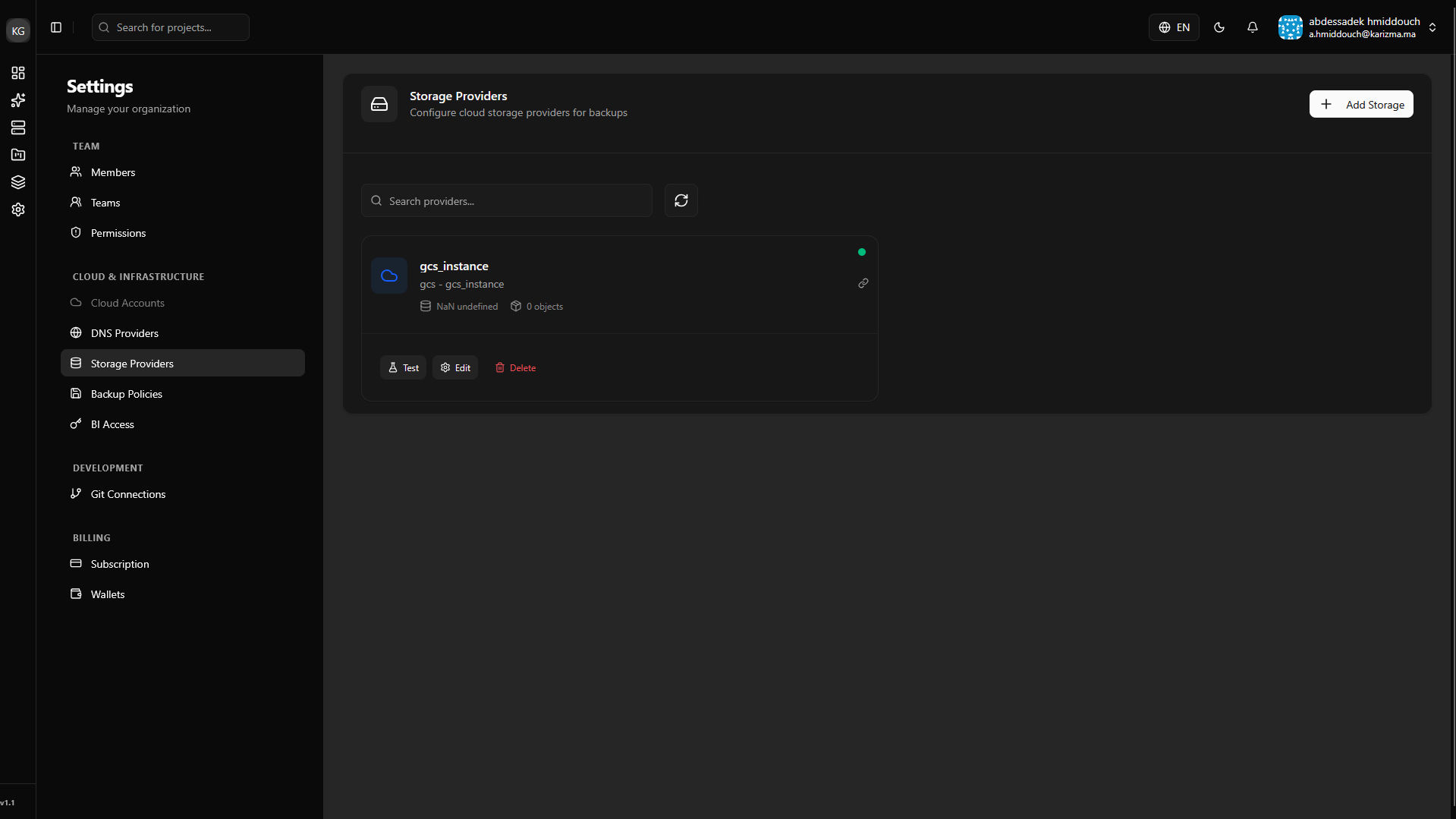
Simply adding a storage provider does not automatically route backups to it. You must configure where your backups are synchronized:
- Globally: Define it for all projects via your Backup Policies.
- Per Project: Override the global setting and assign a specific provider to a single project via the Advanced Dashboard.